- 전문 분야 특화 AI 에이전트 및 자체 개발 Electron 기반 차세대 AI 코딩 IDE 제공 - app.aiforu.kr에서 확인하세요.
- 024042463
- 01032667931
- [email protected]


Necessity
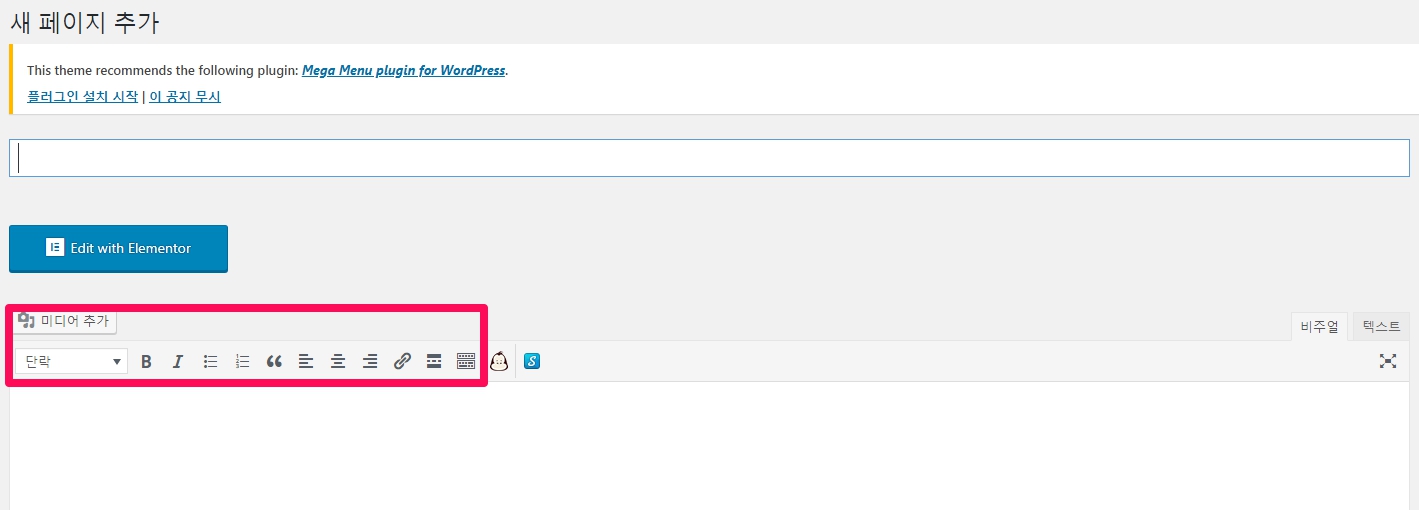
The built-in editor of WordPress does not support many functions, so it is inconvenient to use.
The basic functions in the pink box below are the functions of the built-in editor.
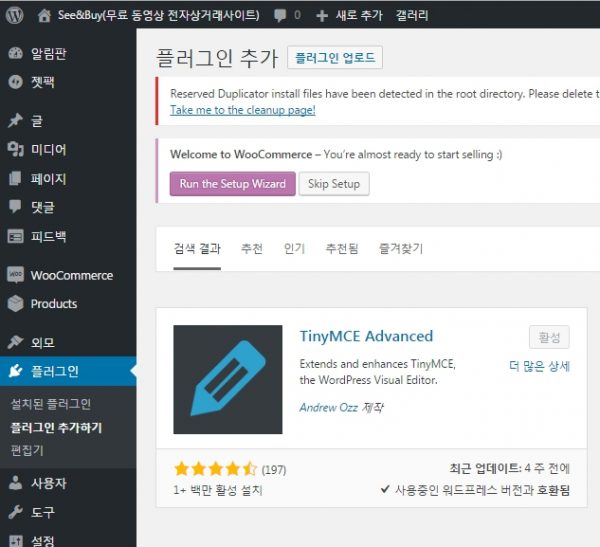
TinyMCE Advanced
TinyMCE is often used as a web editor in JavaScript, but in WordPress, if it is used to extend the editor function beyond the limit of the basic editor, you can easily use it by installing a plug-in. As the developer is Automattic, there is no doubt about its stability.
Summary
- Version:5.3.0
- Last updated:1 month ago
- Active installations:over 2+ million
- WordPress Version:5.3 or higher
- Tested up to:5.3.2
The advanced editor tool (formerly TinyMCE Advanced) introduces a “classic paragraph” block for the block editor (Gutenberg).
Classic Paragraph blocks are your best bet if you’re not ready to switch to the block editor, or if you have plugins that aren’t (yet) available. This allows you to continue using the TinyMCE editor you are familiar with for most tasks, while at the same time gaining full access to all blocks and new features in the block editor.
Installation and activation
On the admin page, go to [Plugins] -> [Add plugin], search for TinyMCE and find
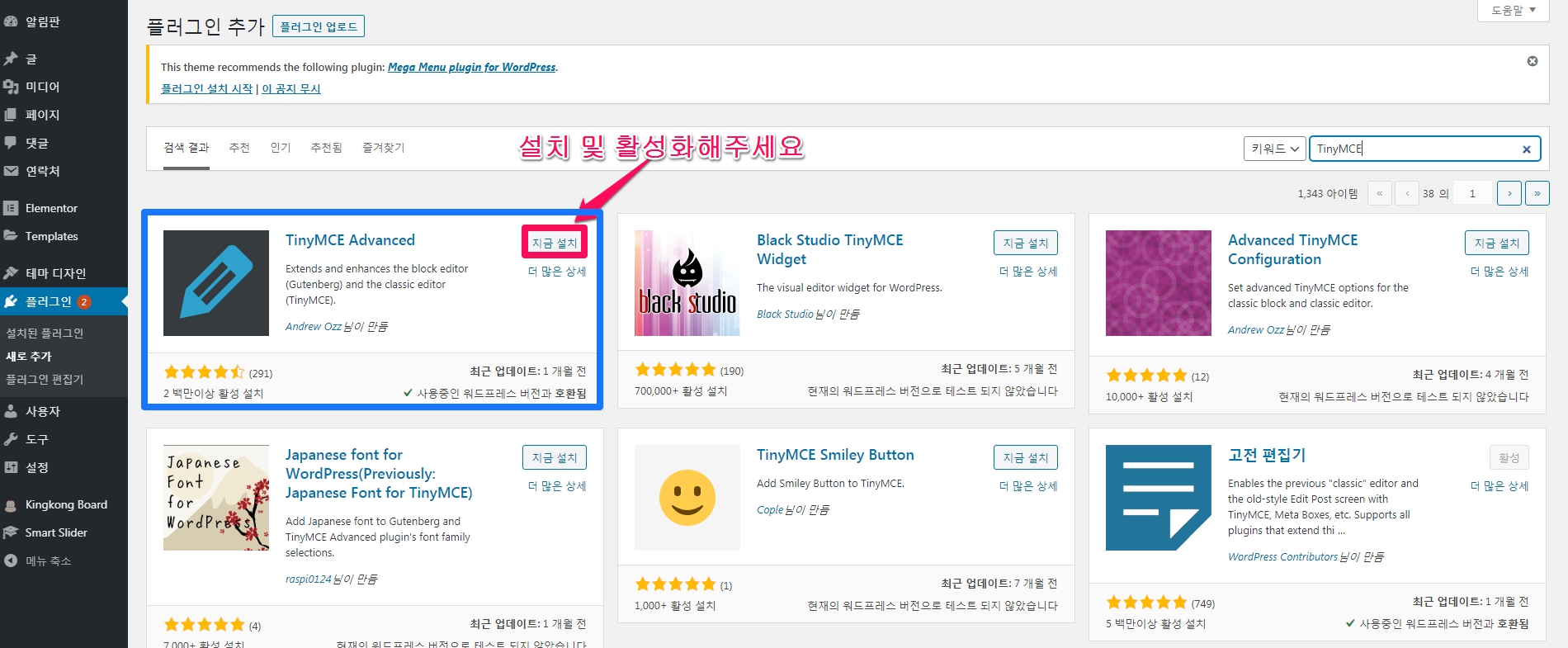
Please install and activate it.
Settings
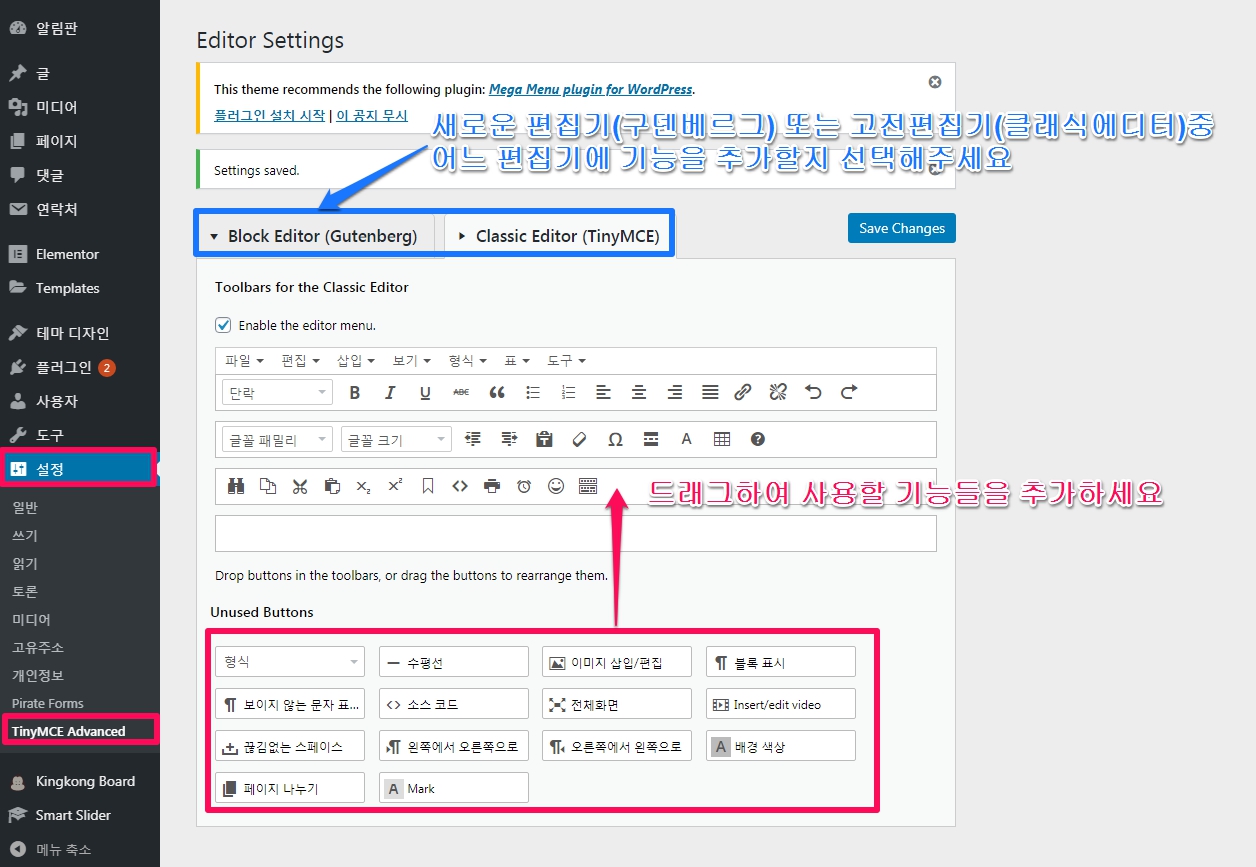
If you go to [Settings] -> [TinyMCE]on the WordPress admin page, you can configure settings to add and rearrange editing functions to be used.
You can set the editing function to use the new editor (Gudenberg) and the classic editor separately.
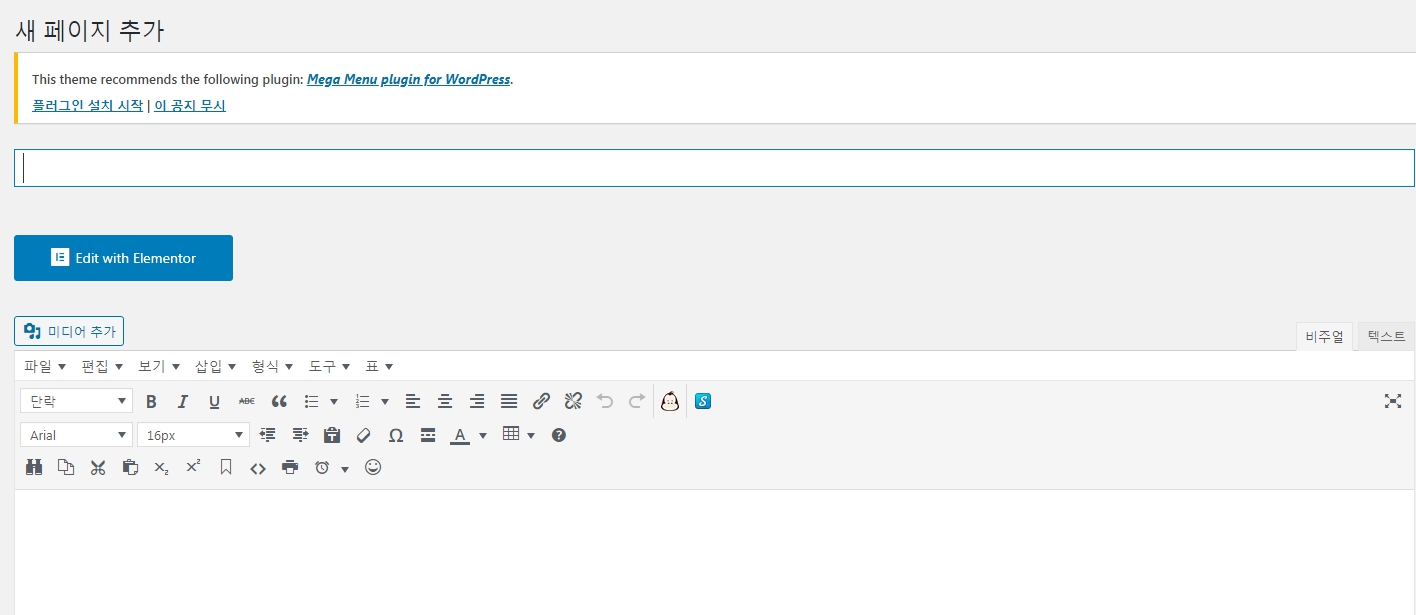
If you go to the editor screen, you can see that the added functions are displayed as shown below.
How to use
Utilize table function
To create a table with the Shortcodes Ultimate plugin, it can be a little difficult for people who are not familiar with HTML because you have to deal with HTML codes such as
| To easily create and modify tables, try TinyMCE Advanced plugin. It is a free plugin registered in the WordPress plugin directory. |
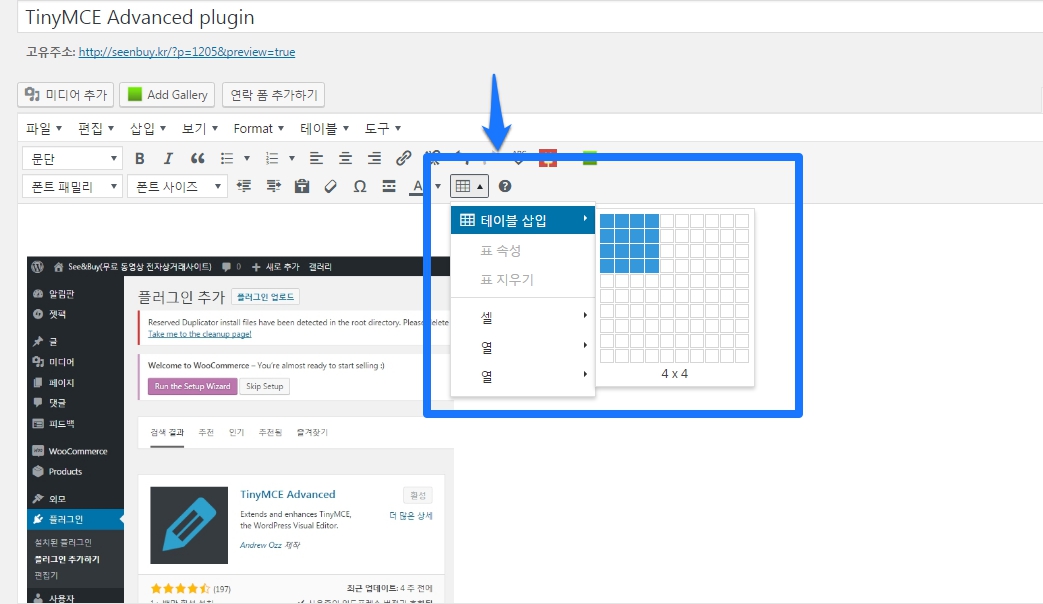
After installing and activating the plugin, various formatting menus appear in the writing edit window and a Create Table button is added to the toolbar. Functions such as adding and deleting tables as well as adding rows and columns and merging cells are easily available from the menu.
Utilize anchor function
There is a disadvantage that scrolling is too slow, but because it is easy to configure, there is a function to easily move to a specific position on a post or page using an anchor.
For details on how to use it, see the post below.
References: 1. TinyMCE Advanced, the pinnacle of WordPress editors

Author: 상희 김
검색엔진최적화, 인바운드마케팅, 유튜브최적화 전문