- 인터넷은 우리에게 자유를 주었습니다. 저희는 자유를 얻기 위해 지식을 통합하고 체계화하고 공유합니다. 랜선 위 정글에서 살아남기 위해 저희는 시키는 일만 하는 꿀벌 대신 고객을 위해 창조하고 혁신하는 게릴라가 되겠습니다. Seenbuy.kr is now Aiforu.kr.
- 024042463
- 01032667931
- [email protected]


Become a Google Ads Agency (including creating a Google Ads manager account)

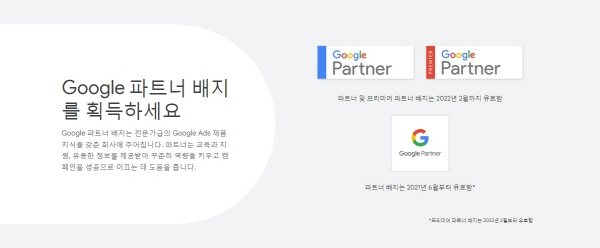
Become a Google Partner

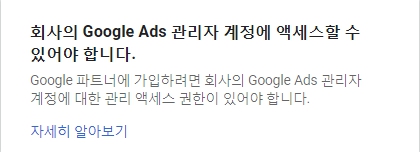
You must have access to your company’s Google Ads manager account.
To sign up for Google Partners, you must have administrative access to your company’s Google Ads manager accounts.
The most likely reason Google Partners want to get AdWords Certification is to become an agency that manages their Google Ads accounts. Registering (creating) Google Ads manager accounts is to become an advertising agency and register to become an administrator managing multiple (20) Google Ads accounts.
Google Ads manager account (After creating Google Ads manager accounts, the screen below appears.
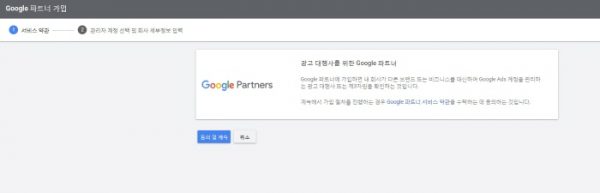
Google Partners for Advertising Agencies By signing up for Google Partners, you are confirming that your company is an advertising agency or third party that manages Google Ads accounts on behalf of other brands or businesses. Google Partner Services if you continue through the signup process You agree to accept the Terms.
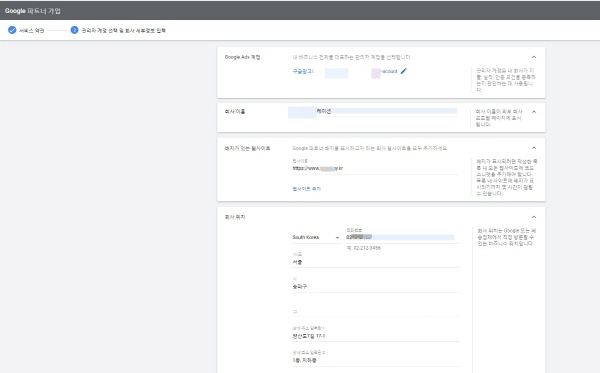
Websites with badges: Add all of the company websites you want to display the Google Partner badge on. Company Location: Enter the ward your company belongs to, such as ‘Seoul’ in the city and ‘Songpa-gu’ in the city, leave blank and the detailed address Just enter
Create a Google Ads manager account
A manager account is a Google Ads account that allows you to easily view and manage multiple Google Ads accounts in one place, including other manager accounts.
This article explains how to create an administrator account. Please check your administrator account information first.
Create a manager account on the manager account home page
- Visit the Google Ads manager account home page and click Create manager account.
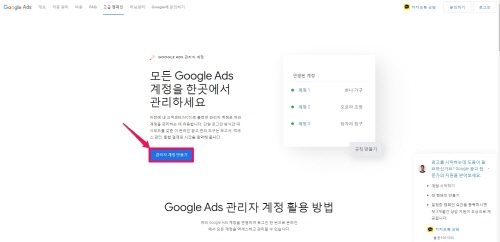
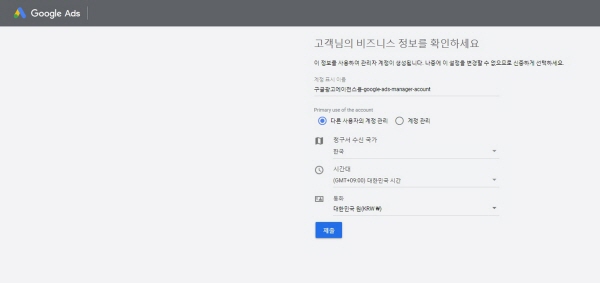
Once submitted, your account will be created immediately.
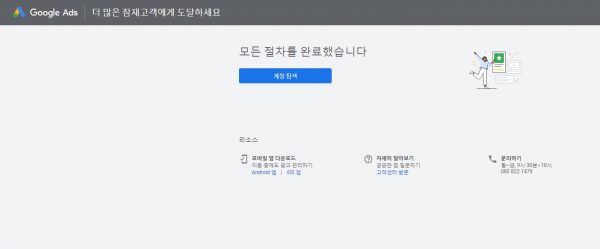
Below is the finished image after submission.
- If you are not already signed in, log in with the email you will use to manage your new administrator account.
- You can use the same email address for up to 20 Google Ads accounts (including manager accounts). Learn more about linking multiple accounts.
- Give the manager account a name. This is the name that the customer will see in the customer account.
- Choose whether you want to use the account to manage your own multiple Google Ads accounts, or to manage other users’ accounts.
- Select your country and time zone. This time zone is used for account reporting and billing purposes and cannot be changed. We recommend that you choose the time zone in which you work.
- Choose the currency you want your account to use permanently. We recommend that you choose the currency you use for your business. Billing to customer accounts is based on the currency specified per account. When reviewing performance or budget information for multiple accounts within a manager account, you can choose to display cost-related information converted to the currency used by the manager account. Learn more about converting currencies in your manager account.
- Click Browse Accounts to get started.
Create a manager account from the Performance page
- Sign in to your Google Ads manager account.
- In the page menu on the left, click Settings, then click Sub-Account Settings at the top.
- blue plus button
Click and select Create New Administrator Account .
- Enter your new account information, including your account name, primary purpose of the account, country, time zone, and currency.
- options:
- To invite users to the new manager account, click Invite users to this account (optional).
- Click the drop-down menu and set the access level to ‘Administrative’, ‘General’, ‘Read Only’, ‘Email Only’ or ‘Payment’.
- options:
- Click Save and Continue.
Create a manager account from the sub-account settings page
- Sign in to your Google Ads manager account.
- Click Accountsin the page menu on the left, then click Performanceat the top.
- blue plus button
- Enter your new account information, including your account name, primary purpose of the account, country, time zone, and currency.
- options:
- To invite users to the new manager account, click Invite users to this account (optional).
- Click the drop-down menu and set the access level to ‘Administrative’, ‘General’, ‘Read Only’, ‘Email Only’ or ‘Payment’.
- options:
- Click Save and Continue.
Moving accounts within a hierarchy
After creating a new manager account, the next page will give you the option to move the account linked to the current hierarchy or link another account.
To move an account in the current hierarchy and link it directly to a new manager account, follow these steps:
- Click Select account to connect.
- In the Choose Account dialog, select the account to link to.
- Click Done .
To link another account directly to your new manager account, follow these steps:
- In the ‘Link another account (optional)’ section, enter or paste the customer IDs, one per line.
- Click Link Account.
What are Google Ads manager accounts? : This part will be necessary when running an advertising agency, but it is summarized here first.
A manager account is a Google Ads account that allows you to easily view and manage multiple Google Ads accounts, including other manager accounts, in one place. For agencies or managers managing multiple Google Ads accounts, manager accounts are a powerful time-saving tool.
Turn on YouTube subtitlesto see subtitles in your language. Just select the ‘Settings’ icon at the bottom of the video player, select ‘Subtitles’ and select your language.
This article explains the benefits of a manager account and how it works.
Why use an admin account?
An administrator account allows you to:
- You can use a single sign-in to access all of your customers’ Google Ads accounts, including other manager accounts.
- Discover, explore and manage all your accounts from a single, easy-to-read dashboard.
- From your manager account, you can create and manage campaigns for your customer accounts.
- You can easily compare the performance of all your accounts and run reports for multiple accounts at once.
- Use your monthly invoice to pay for your Google Ads account.
- Efficiently monitor all connected accounts with notifications.
- You can easily create and link your Google Ads account from your manager account.
Users who need to use an administrator account
Manager accounts are ideal for large advertisers with more than one Google Ads account. It is also suitable for external partners such as agencies and other online marketing professionals managing multiple customer accounts or multiple campaigns.
You can link up to 20 Google Ads accounts to one email address, including your manager account. However, if you manage more than 20 accounts, or if you want to easily monitor the performance or track conversions of multiple accounts in one place, a manager account may be the best option for you.
A manager account is required to use a Google Ads account with monthly invoicing.
how it works
A manager account isn’t an “upgrade” version of your Google Ads account, it’s a new, separate account. You can think of it as a parent Google Ads account with multiple individual Google Ads accounts linked. You can link new and existing Google Ads accounts, as well as other manager accounts.
You can then monitor ad performance, update campaigns, and manage account actions for customer accounts. Additionally, the manager account may be given ownershipof the customer account. This allows you to manage user access to customer accounts.
However, you cannot use your manager account to change proprietary information in your customer account, such as login information.
Individual account holder experience
By linking another account to the manager account, individual users of that client account can log in and use the account as usual. Users of customer accounts do not have access to linked manager accounts or other accounts linked to the same manager account. However, any user with administrative access can terminate the relationship with the manager account at any time by unlinking the manager account and the Google Ads account.
Invite other users to your manager account
After you set up your manager account, you can invite other users to your manager account and grant them different levels of access. Learn more about inviting users to your manager account.
