- 전문 분야 특화 AI 에이전트 및 자체 개발 Electron 기반 차세대 AI 코딩 IDE 제공 - app.aiforu.kr에서 확인하세요. Domain transfer from seenbuy.kr to aiforu.kr.
- 024042463
- 01032667931
- [email protected]


Create Multilingual WordPress Websites Using BeTheme and WPML

to do 1. Watch the video and comment on the content. 2. Please make a video and relevance schema.
BeTheme is a powerful WordPress theme that offers many features, including a drag-and-drop page builder. Learn how to create a multilingual WordPress site using BeTheme and WPML.
BeTheme is a powerful WordPress theme offering many features, including a drag-and-drop page builder. Learn how to create multilingual WordPress sites using BeTheme and WPML.
Content
- Getting Started
- Translating Pages
- Translating Texts From BeTheme Theme, Plugins, and Other Places
- Translating Menus
- Translating Sliders
- Known Issues With BeTheme
- Getting Help
Getting started
Start by installing and activating:
If you’re new to WPML, check out our Getting Started Guide . A quick walk through all available translation options.
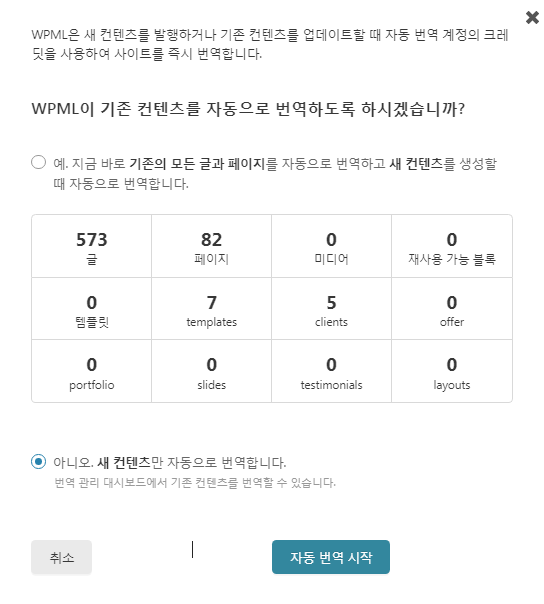
One option I would recommend is to translate everything . It’s the fastest way to translate and the easiest way to keep your content up to date. This feature automatically translates pages, posts, custom post types, custom fields, classifications, WooCommerce products and more as you add and edit content. Translating everything with BeTheme speeds up your work.
It is very satisfying to translate everything and take care of it, but as expected, I received 90,000 credits, but I have already used 20,000 credits.
Guaranteed compatibility with Muffin Builder
You must set this part to enable WPML translation in Muffin Builder or WPBakery Page Builder editors.
BeTheme comes with an editor, Muffin Builder . To ensure compatibility with WPML’s advanced translation editor, ensure that your Muffin Builder content is stored serialized and not encoded. This allows WPML to read the content and use it for translation.
- Go to BeTheme → Theme Options → Global → Advanced .
- Scroll down and change the value of Muffin Builder data storage to Serialized | Select Readable format, required by some plugins ( Serialized |
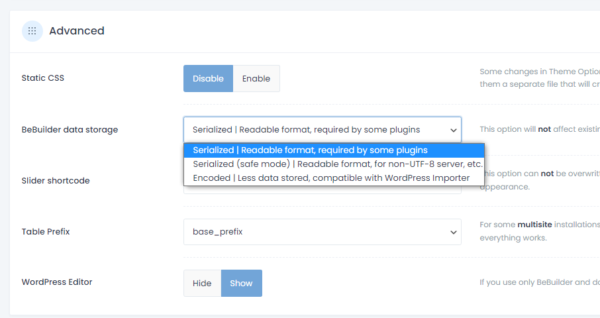
If you have already created some content with Muffin Builder before setting up WPML, you may need to update those pages or posts to be able to translate that content.
Page translation
WPML allows you to translate any type of content on your site, including pages and posts.
How to quickly translate your BeTheme website using WPML(5:34)
When Translate Everything is turned on, translations of pages, posts, custom post types, custom fields and categories are handled automatically. If not turned on, the next section describes manual translation of these content types.
[Note] Translate Everything : WPML [Settings] -> [Multilingual Content Settings] -> In [Translate Mode], there is a setting section as below, and here you can select one of the three options of Translate Everything .
How do you want to translate this site?
Translate Everything
WPML will automatically translate content that you publish or update
- Review the translations before publishing
- Publish translations and review them later
- Publish translations without reviewing
Translate Some
I want to choose which content to translate
Translate pages created using Muffin Builder
Here is a page I created using the Muffin Builder.
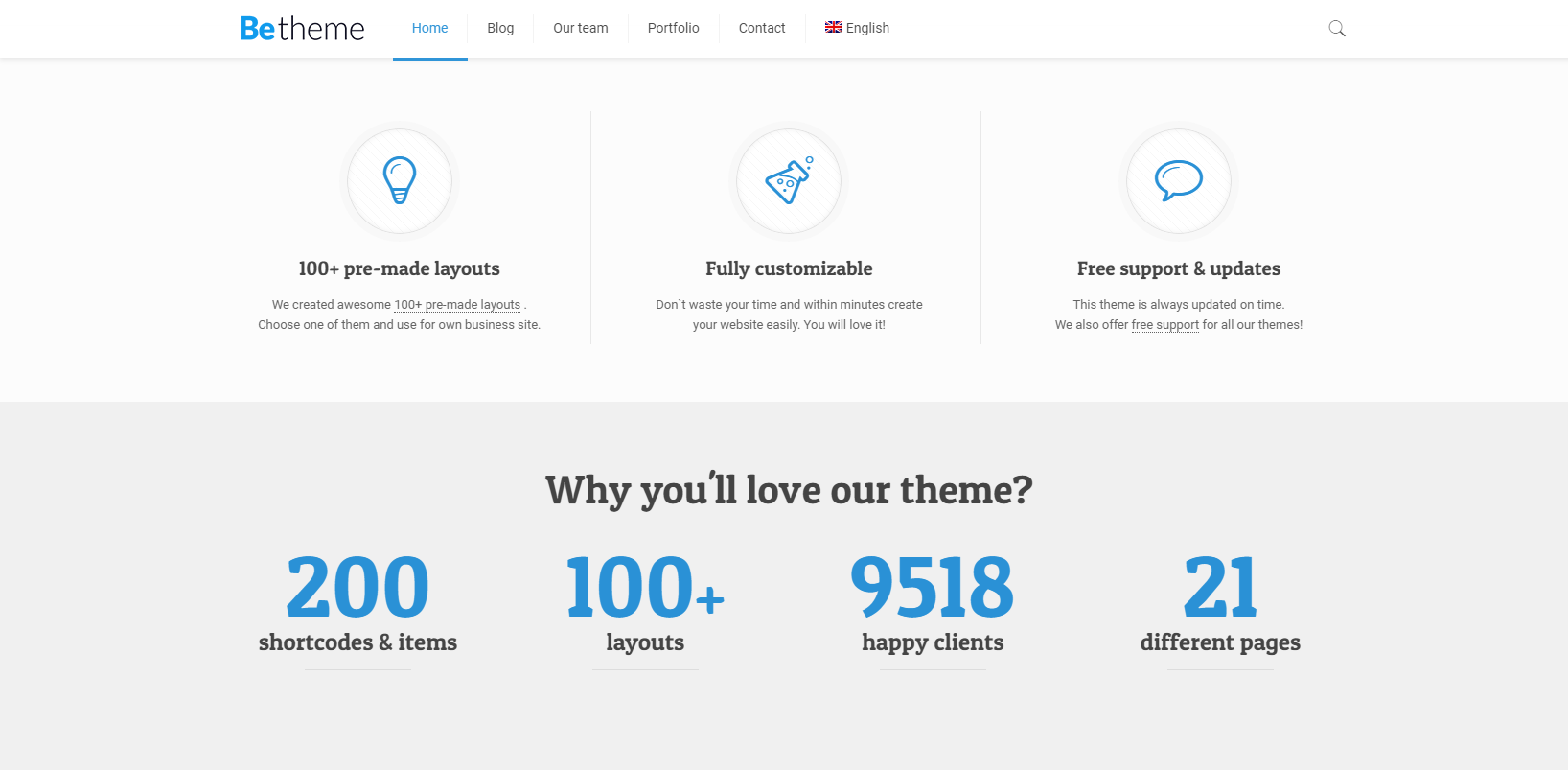
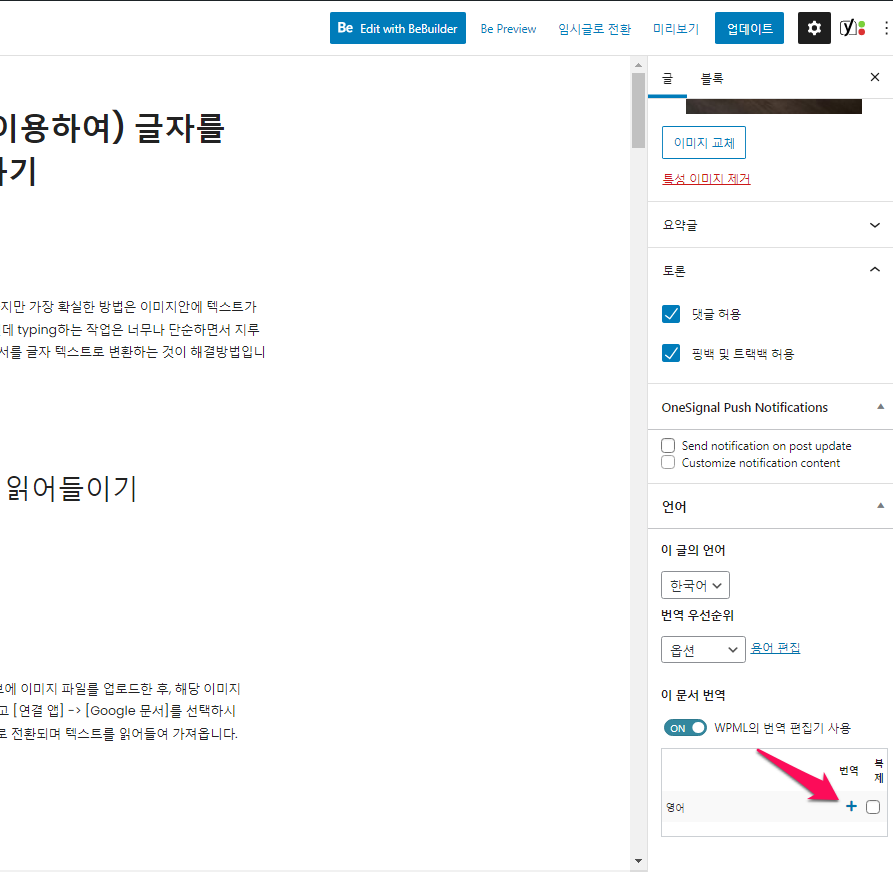
Translating pages created using Muffin Builder is similar to translating pages using the default WordPress editor. You can translate the page into your preferred language by simply clicking the plus (+) icon in the language box .
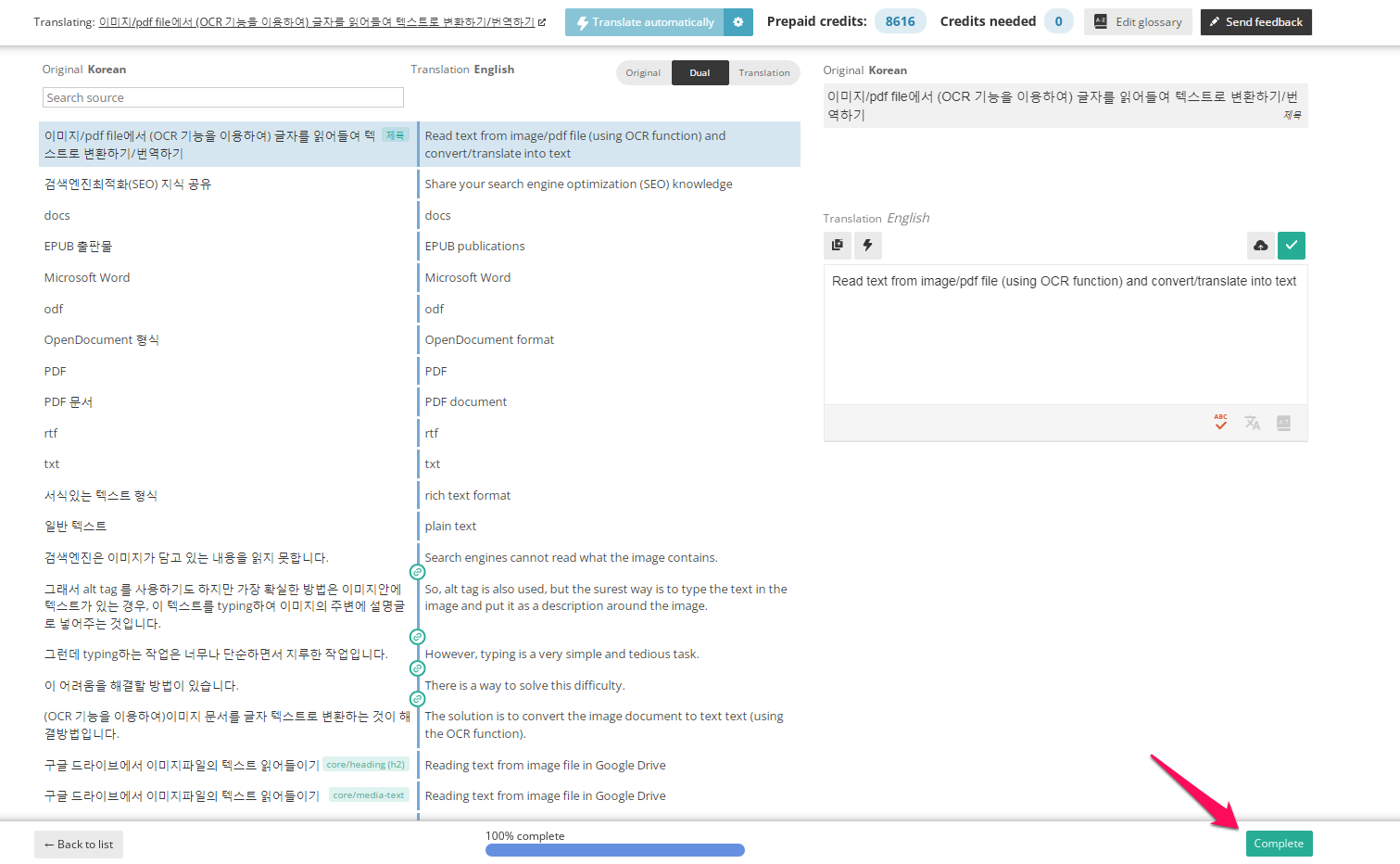
If you click the plus (+) icon, the translation window as shown below appears, and when the progress below is 100%, click complete to return to the original Korean editing window.
Translate page content, save translations, and publish pages. If you have translated a post, if you go to the post, you can see the language after translation and the page where the translation has been completed.
Translating pages created with WPBakery Page Builder
WPML translation works well in the Muffin Builder editor, so I’ll pass the WPBakery Page Builder editor for now.
BeTheme bundles the WPBakery Page Builder editor with the Muffin Builder editor.
Visit our How to Translate Content Builds with WPBakery Page Builder page. You can find mixed languages on the front end. This happens with widgets that can rely on AJAX requests to fetch content. (You might find mixed languages on the front-end. This happens with widgets that may rely on AJAX requests to fetch content. To fix this, you need to enable the language cookie . )
Portfolio page and category translation
BeTheme comes with a variety of customizable content types such as Client, Testimonials, Portfolio (category, tags, etc.). Translating a custom post type item requires following the same steps as translating any other type of page or post. ( You can translate yourself or send content to be translated by others . )
The ( Portfolio) category can be translated in the translation editor screen while translating the page .
You can also translate portfolio categories from the WPML → Taxonomy Translation page . Select the (Portfolio) category from the drop-down menu and a list of categories will appear. Click the plus icon to translate a category for that language and add translations using the dialog that appears. Tags, etc. can be translated in the same way.
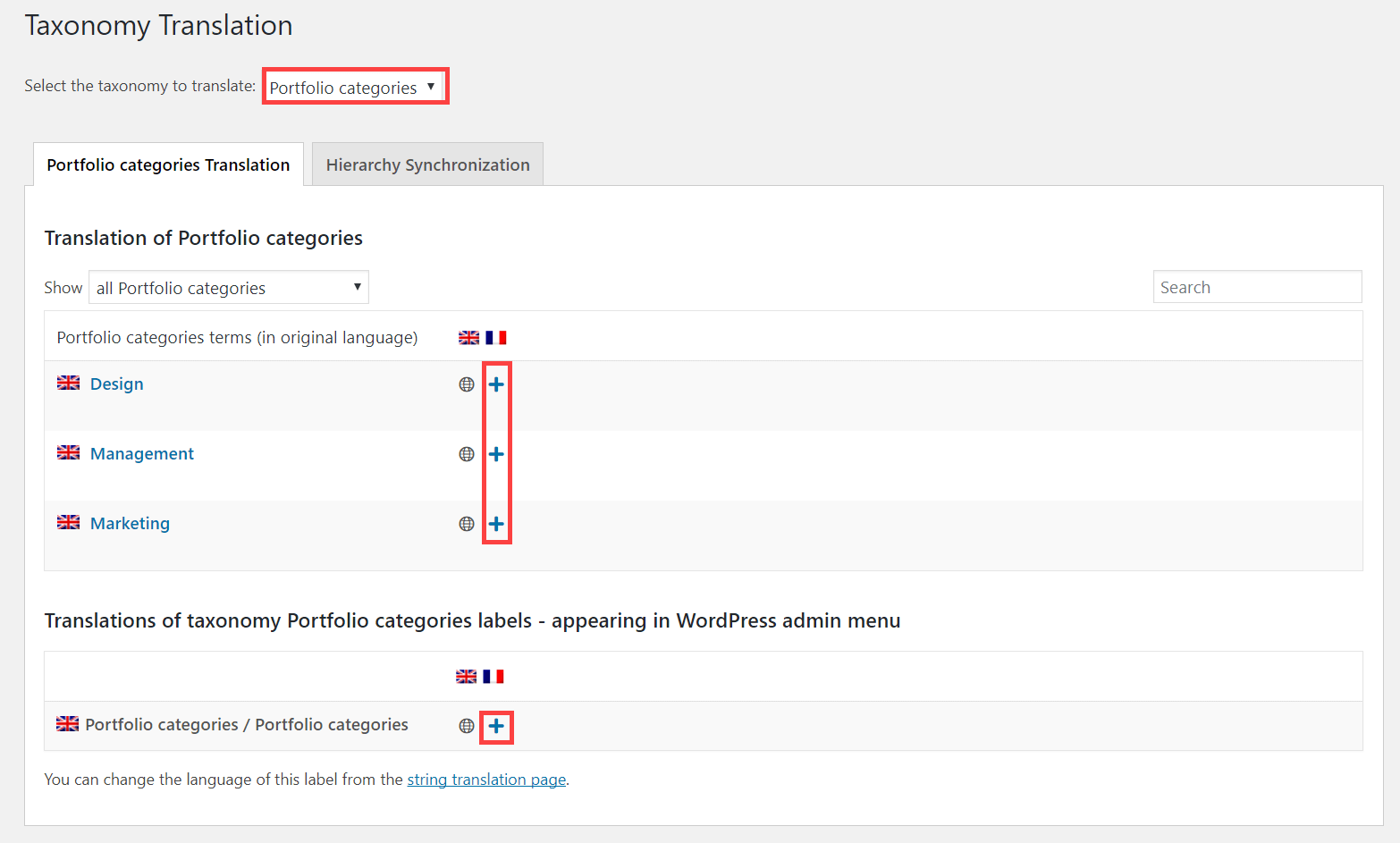
If you change the category, tag, etc., it will be updated in all posts.
Translate text from BeTheme themes, plugins and other places
In addition to content pulled from posts and pages on your site, there is usually text that comes from other places. The most common examples are themes and plugins.
To learn how to translate these texts, read the documentation page on Translating Strings .
Menu translation
WPML makes it easy to synchronize language menus. See the full menu translation tutorial for more details.
Slider translation
BeTheme comes bundled with Slider Revolution. See How to create multilingual sliders using Slider Revolution for instructions on how to translate the sliders on the homepage and the sliders you create using the Slider Revolution plugin.
Known issues
There are currently no unresolved compatibility issues between this theme and WPML. Search for all known issues .
Be helped
If you need help translating a site built using BeTheme and WPML, visit the WPML support forum .
References: 1. Create Multilingual WordPress Websites Using BeTheme and WPML