- 인터넷은 우리에게 자유를 주었습니다. 저희는 자유를 얻기 위해 지식을 통합하고 체계화하고 공유합니다. 랜선 위 정글에서 살아남기 위해 저희는 시키는 일만 하는 꿀벌 대신 고객을 위해 창조하고 혁신하는 게릴라가 되겠습니다. Seenbuy.kr is now Aiforu.kr.
- 024042463
- 01032667931
- [email protected]


IndexNow Plugin By Microsoft Bing
This plugin was developed by the Bing Webmasters team and is also recommended to be installed by Bing Webmaster Tools. The ability to easily send Bing and Yandex manual index requests is also a big plus.
Summary
- Version:1.0.1
- Last updated:3 months ago
- Active installations:30,000+
- WordPress Version:5.3 or higher
- Tested up to:6.0.1rnrmf
- PHP Version:5.6.20 or higher
- Languages:See all 11
IndexNow is a great solution for both small and large sites, and it’s the SEO pro’s dream come true as a result of speeding up SEO results with near-instant indexing.
IndexNow is a new (new for solving a specific problem/achieving purpose) initiative and has already been adopted by Microsoft Bing and Yandex. Google is said to be testing support for this, and if Google implements it, it will become a must-have solution for search engine indexing.
In July 2020, Bing released the first official plugin for WordPress that allows site owners to submit URLs and instantly index content without waiting for search engines to crawl their site. IndexNow API, which debuted in October 2021 is the next evolution of the Bing URL submission API created by Microsoft Bing and Yandex. .
Bing Webmasters has released a new IndexNow plugin for WordPress sites to take advantage of this new protocol. Websites can notify participating search engines whenever content is created, updated, or deleted, so your site is indexed faster for updated search results. The Microsoft Bing Webmaster Tools team expects to minimize the need for crawling.
IndexNow is an initiative for a more efficient Internet. Website owners limit the need for exploratory crawls to test content changes by notifying search engines whether URLs have changed, providing a clear signal for search engines to prioritize crawls for these URLs.
Do not blind trust in IndexNow
Despite the great advantages above, it is important to emphasize that IndexNow does not replace sitemaps.. You should have XML sitemaps, video sitemaps, news sitemaps and other advanced sitemaps to help you increase your SEO ranking. To gain a competitive edge, you should use IndexNow with your sitemaps.
Description
The IndexNow plugin for WordPress allows you to automatically submit URLs from your WordPress site to multiple search engines without the need to register and verify your site. When the plugin is installed, your site automatically generates and hosts an API key. WordPress will detect page creation/update/deletion and automatically submit the URL in the background. This ensures that search engines always get the latest updates on your site. This plugin submits a URL to the generic endpoint ‘https://api.indexnow.org/indexnow’, which is shared with all participating search engines.
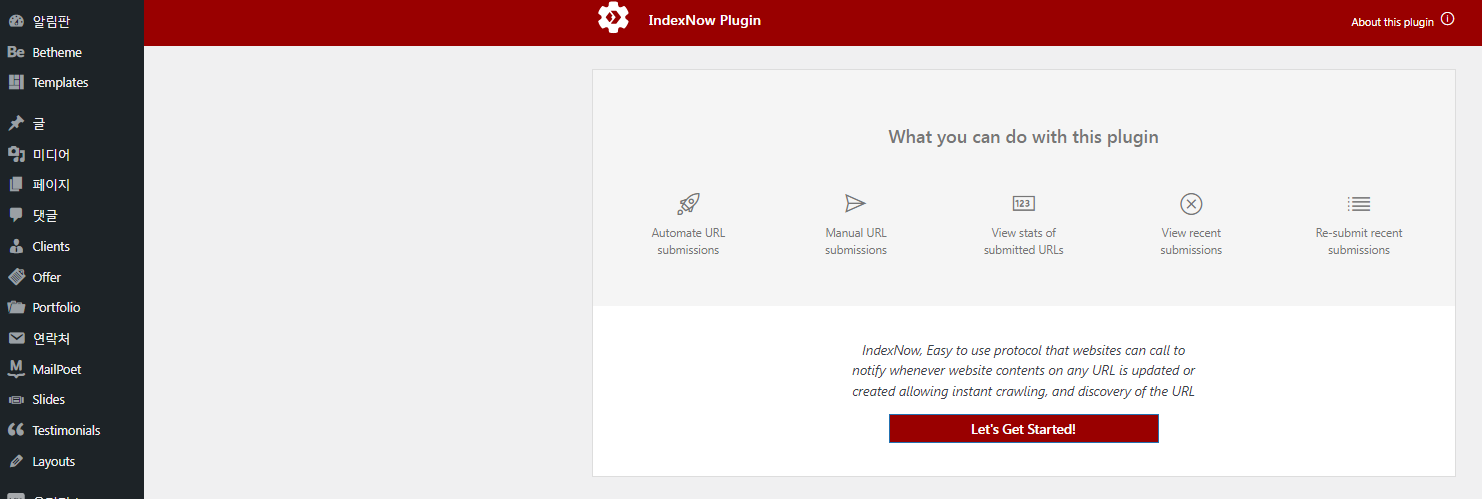
What you can do with this plugin
URL submission automation
Manual URL submission
View statistics for submitted URLs
View recent submissions
Resubmit recent submissions
How to use
Start by going to [Settings] -> [Index Now] amd click [Let’s Get Started!] This is the end. There is nothing more to do.
This function is only valid for Bing and Yandex that has adopted Index Now. 22.8.24 is not valid for other search engines such as Google or Naver .
[Let’s Get Started!]If it is not activated, you must make an HTTP request referring to https://www.bing.com/indexnow
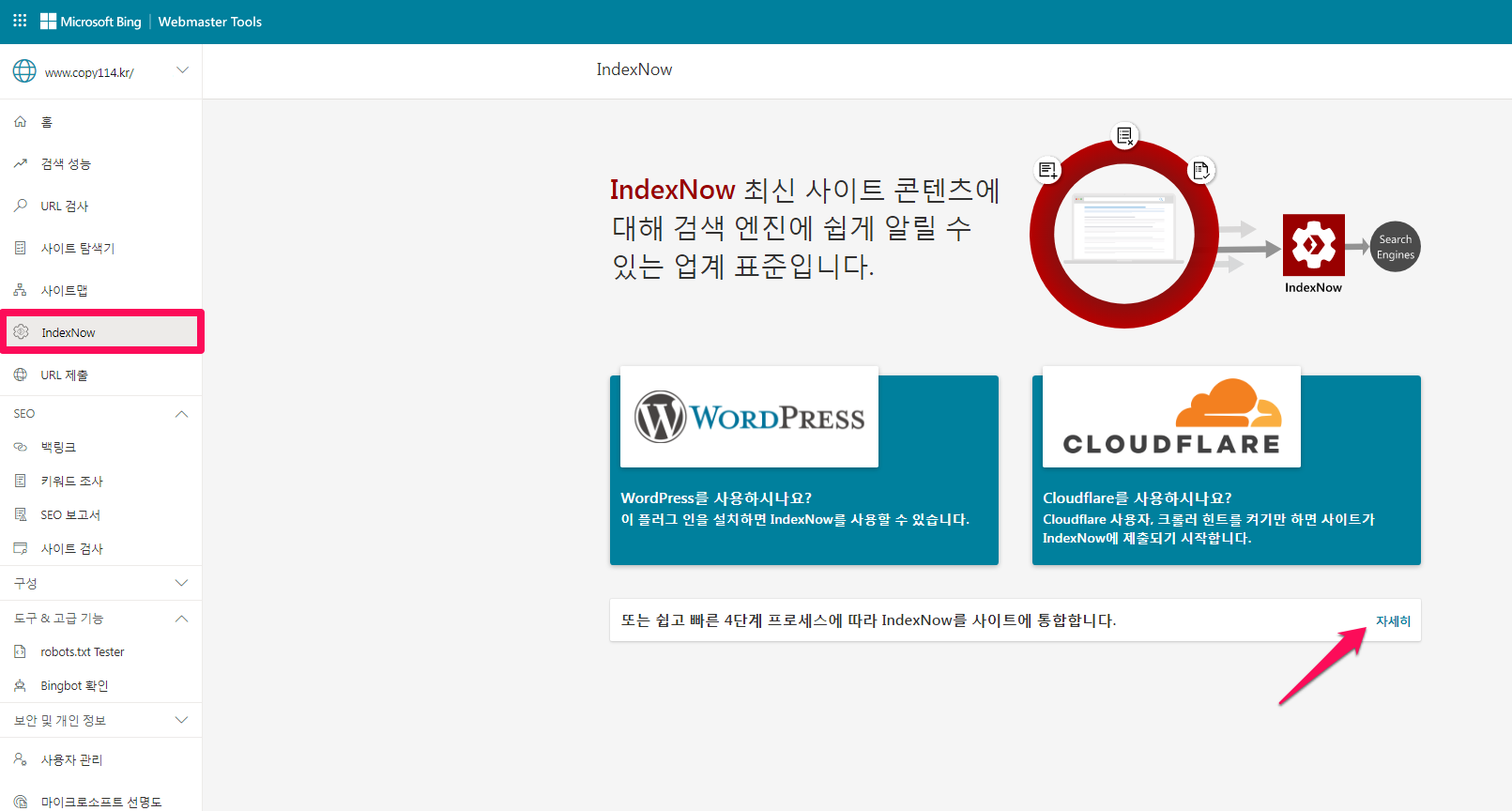
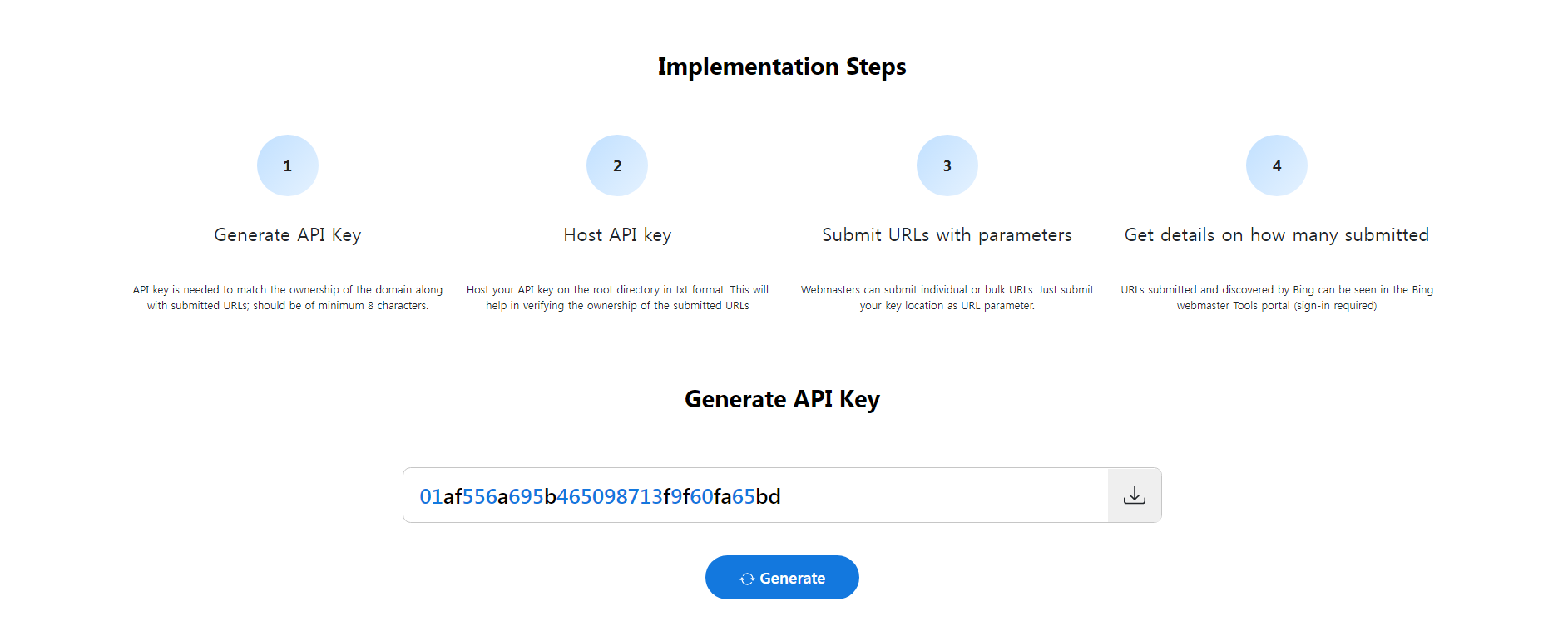
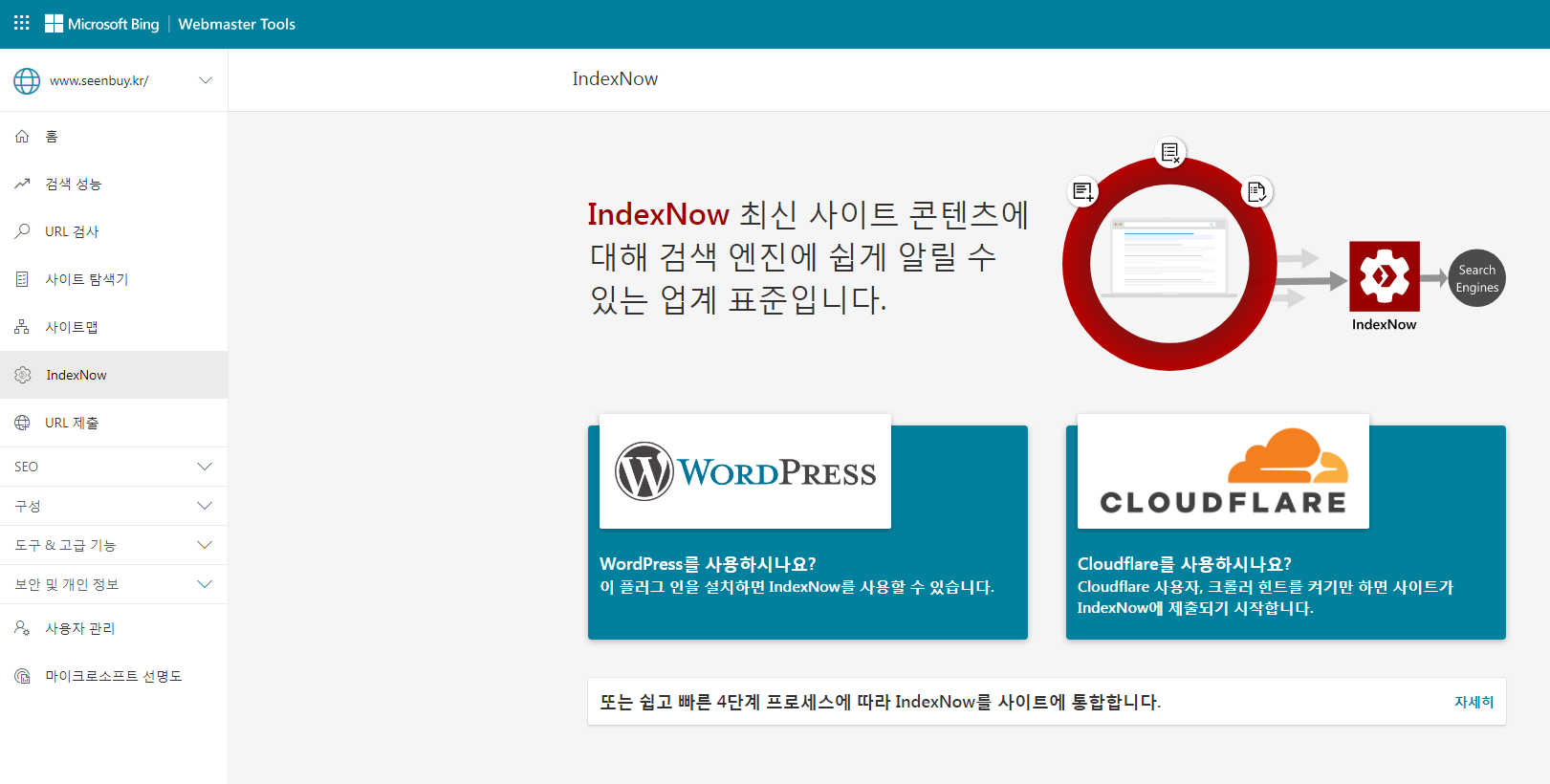
We guide you through the 4 steps as below 1. API key generation and 2. Upload the API key to the host, [Let’s Get Started!] will be activated. Sites that do not use WordPress You must proceed with step 3. and 4.
1. Generate API key
An API key is required to match domain ownership with the submitted URL. It must be at least 8 characters long.
2. Upload the API key to the host
Host the API key in the root directory in txt format. Helps verify ownership of submitted URLs.
3. Submit URLs with parameters
Webmasters can submit individual or bulk URLs. Just submit the key location as a URL parameter.
4. Get details about the number submitted
URLs submitted and retrieved from Bing can be viewed in the [IndexNow] menu in Bing Webmaster Tools (login required).
Verification of host on API key
You will need to host your UTF-8 key file at.
If you download an API key that has already been created or newly created, it is encoded in ANSI. After opening this file, select [Save As] and save it as a txt file with the same name. In this case, be sure to change the encoding method to UTF-8 in the lower right corner of the notepad.
(Then, upload this file to the root directory of the domain. After that, access https://www.example.com/01af556a695b465098713f9f60fa65bd.txt and check if the text file is visible.)
Please upload using FTP or the plugin below.
Manual URL submission
This feature allows you to submit URLs directly to IndexNow, which supports search engines. This function corresponds to manual indexing, and it is convenient because you can request indexing without accessing the webmaster tools of Bing and Yandex.
If you use this function, in the case of Yandex, it will be displayed in search results on the same day. It’s an amazing feature.
Automate URL submission
The default is Enable, so there is nothing else to set. This feature allows you to configure automation to submit new, updated and deleted URLs to IndexNow and stay updated.
Reviews
Bing
Installed less than 3 days ago, crawl requests 216, indexed pages 76
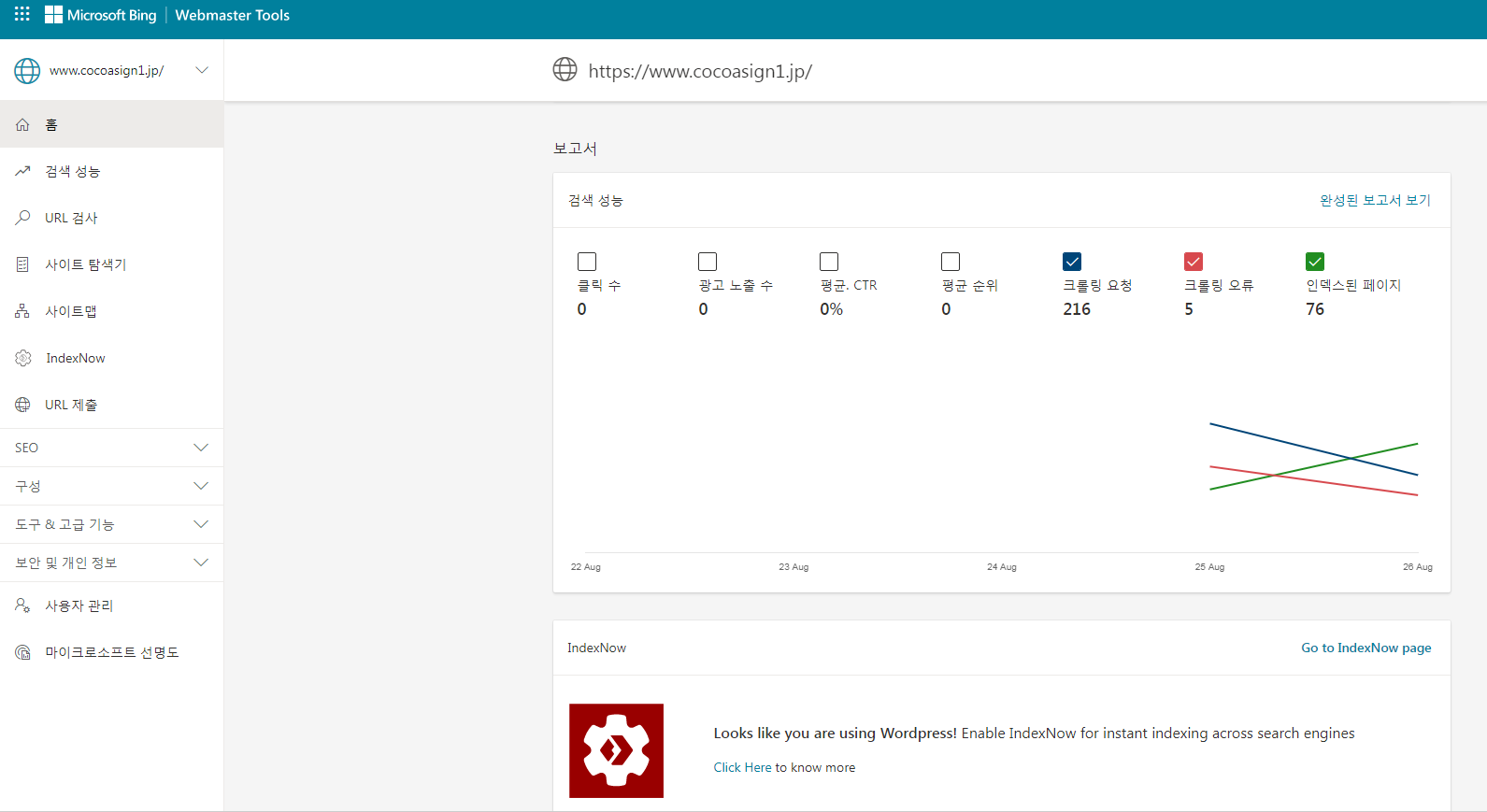
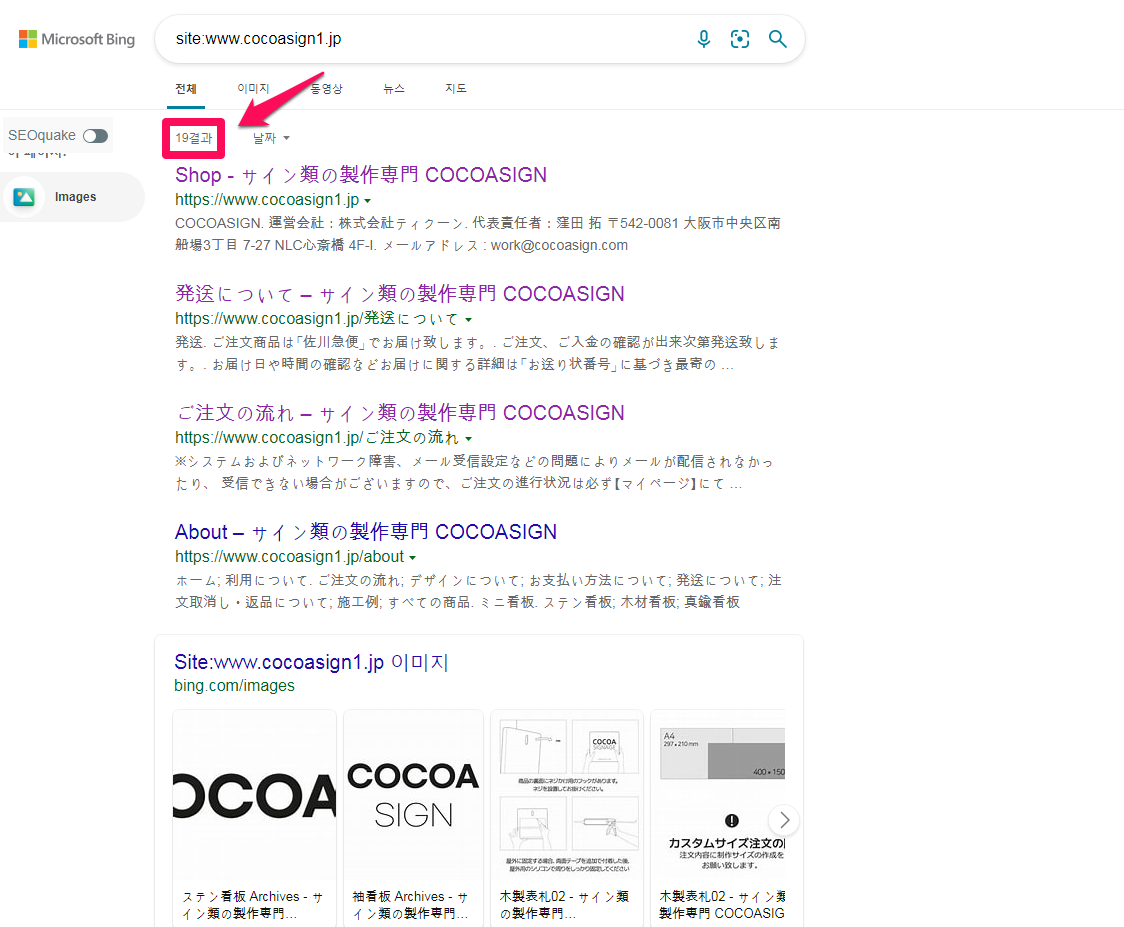
It’s been less than 3 days since I installed it, but 19 are showing up in the search results!! It’s hard to believe that only 30 million people around the world use this great plugin.
Yandex
3 pages were indexed on the day of installing IndexNow, 12 pages the next day, and 9 pages on the 3rd day. It’s not indexed as fast as Bing, but even if you’re only indexing about 10 pages per day, it’s a great performance considering the effort of manual indexing. That’s great.
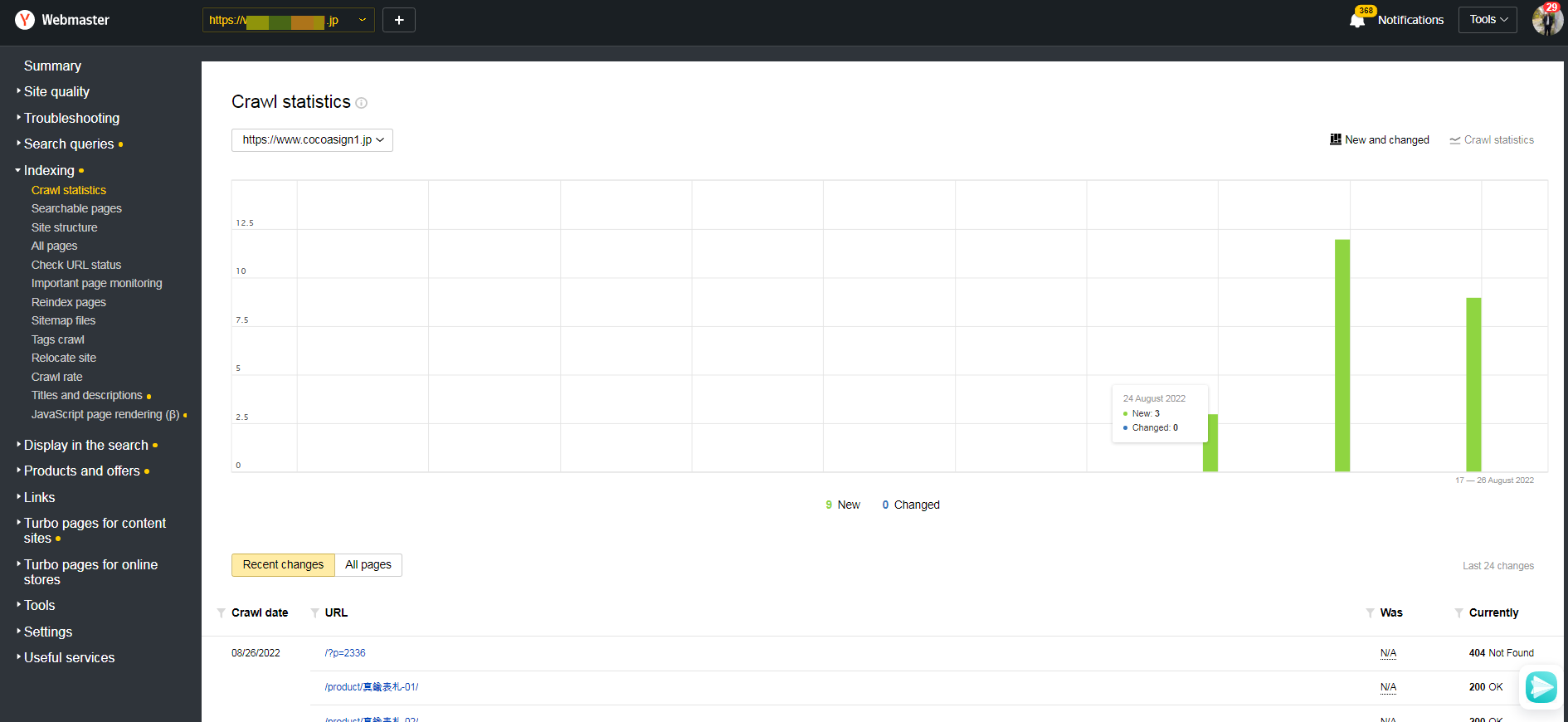
Being indexed doesn’t immediately show up in search results. However, if you submit a URL using ‘Manual URL submission’ above, which is a manual index, it will be displayed in the search results on the same day. (Considering that using Reindex Pages, which is a manual Yandex indexing function, only indexes, but it takes a considerable amount of time to be exposed in search results) This is an amazing feature.
If you are not using the WordPress plugin
HTTP request should be made by referring to https://www.bing.com/indexnow.
FAQ (Frequently Asked Questions)
내 대시보드에 제출된 모든 URL을 볼 수 없습니까?
Where can I view all submissions submitted through the IndexNow plugin?
We are providing a limited number of URLs submitted to our WordPress dashboard (20 successes, 20 failures).
You will have to look directly at the individual search engines (Bing, Yandex, etc.) for details.
색인이 생성된 검색 엔진의 URL을 볼 수 없습니까?
This plugin only requests indexing (indexing), and the verification, debugging, and resolution of the request results must be done directly in the webmaster tool of each search engine.
제출된 URL이 내 크롤링 할당량에 포함됩니까?
Yes, all crawls count towards your crawl quota. For reference, the number of daily manual index requests for Bing is 100.
Posting on INDEXNOW tells search engines that you are interested in these URLs, and search engines usually give priority to crawling these URLs over other known URLs.
References: 1. How to Add IndexNow in WordPress to Speed Up SEO Results
2. Microsoft Bing Releases New IndexNow Plugin for WordPress