- 인터넷은 우리에게 자유를 주었습니다. 저희는 자유를 얻기 위해 지식을 통합하고 체계화하고 공유합니다. 랜선 위 정글에서 살아남기 위해 저희는 시키는 일만 하는 꿀벌 대신 고객을 위해 창조하고 혁신하는 게릴라가 되겠습니다. Seenbuy.kr is now Aiforu.kr.
- 024042463
- 01032667931
- [email protected]


WordPress robots.txt editing plugin
The robots.txt file will be placed in your site’s root folder. If you don’t have a robots.txtfile, you can create a robots.txtfile on your computer and upload it via FTP. (Refer to here how to use FTP.)
However, in the site built with WordPress site builder, I faced a phenomenon that I did not understand. If you look at the Google Search Console, robots.txt exists and you can see the contents of the site created with WordPress, too, but when you enter ftp, you can see the word The site created by press could not find Robots.txt in the root directory. Apparently it’s somewhere, but it doesn’t seem to be able to find the path. When I looked at setting robots.txt on the WordPress blog, I was able to confirm that there are people who have the same experience as me.
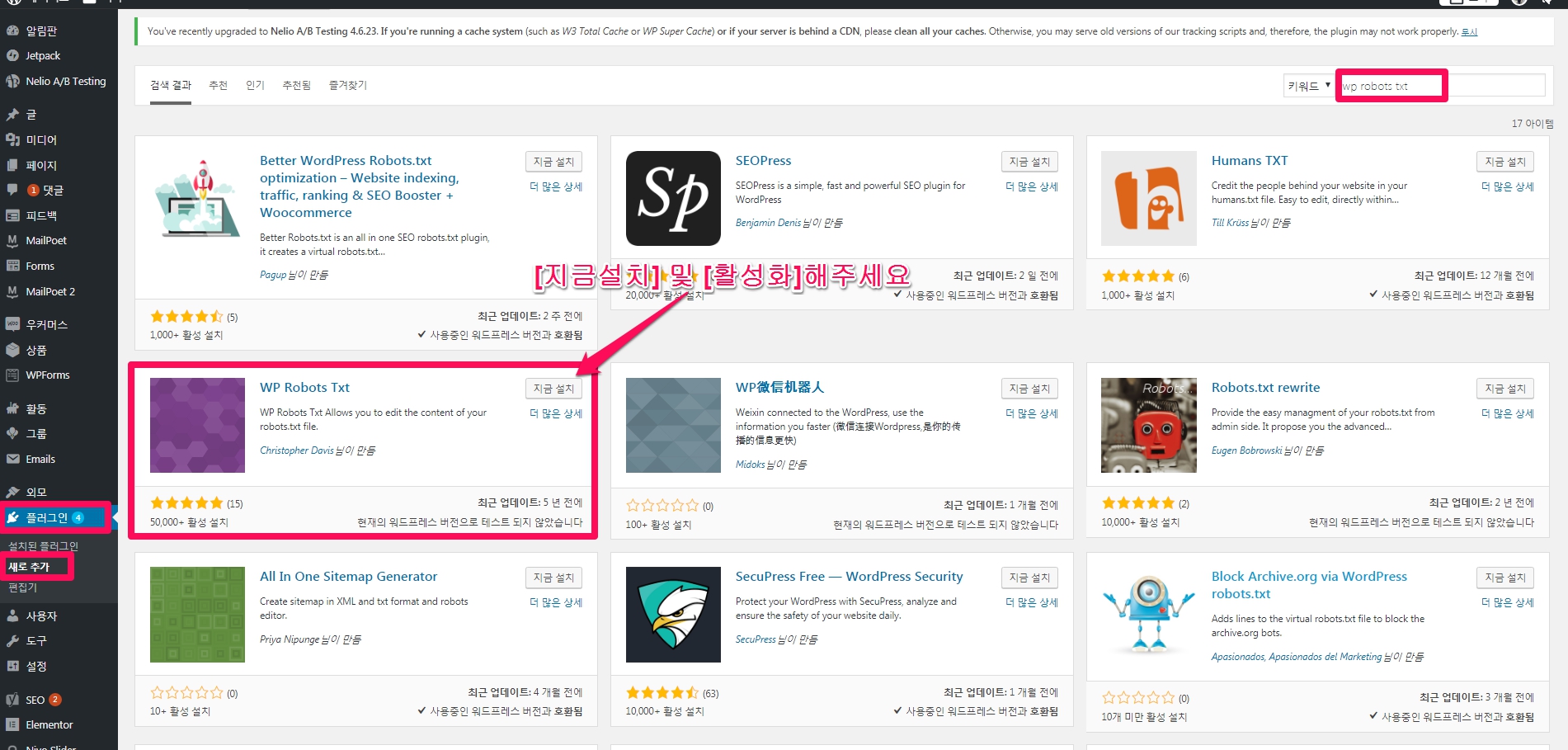
The strength of WordPress, the WP Robots Txtplugin can solve this problem.
WP Robots Txt plugin plugin
- Writer: Christopher Davis
- Last updated: 5 years ago
- WordPress Version: 3.3 or higher
- Compatible version: 3.6.1
- Active installation: 50,000+
How to use is simple, go to [Settings] -> [Reading] on the WordPress admin page, and if you look in the middle, you will see the newly created Robots.txt Content.
Edit, save and you’re done.
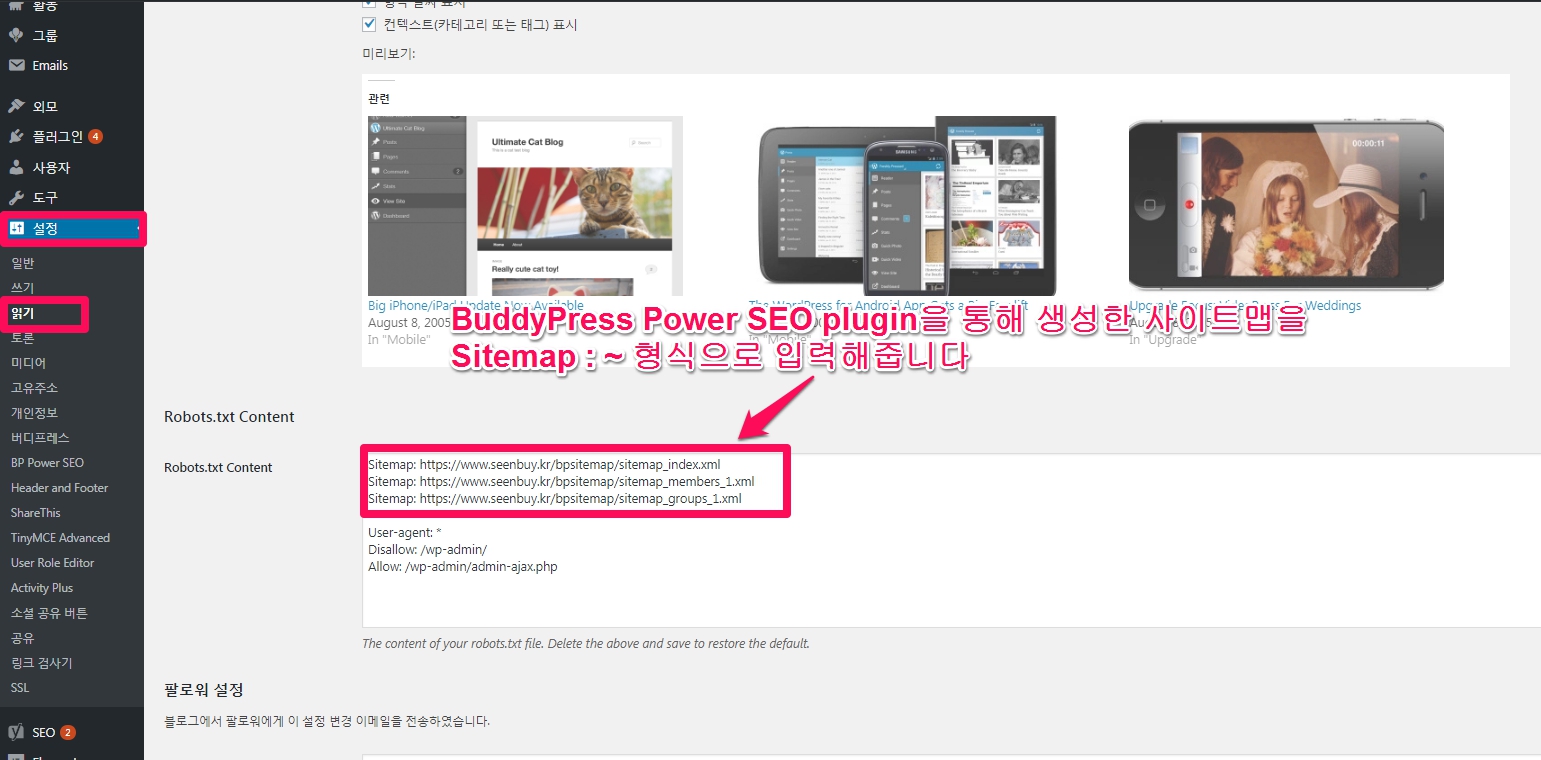
The robots.txt writing team
It’s a good article, but it’s a published article, so I’m posting it as a protected article for copyright protection. The password is 0021.