- 인터넷은 우리에게 자유를 주었습니다. 저희는 자유를 얻기 위해 지식을 통합하고 체계화하고 공유합니다. 랜선 위 정글에서 살아남기 위해 저희는 시키는 일만 하는 꿀벌 대신 고객을 위해 창조하고 혁신하는 게릴라가 되겠습니다.
- 024042463
- 01032667931
- [email protected]


YouTube playlist search engine optimization
Why are playlists important?
Within YouTube, search results show channels, videos and playlists.
With that in mind, optimizing for a playlist is important, even if it’s not as important as channel optimization or video optimization.
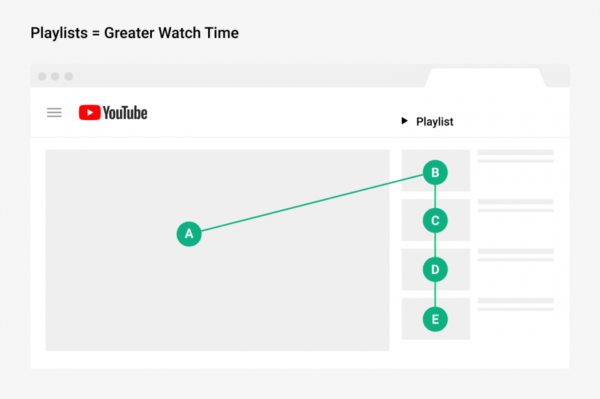
Playlists increase viewing time.
This is because the playlist will automatically play all the videos in that playlist.
In fact, as YouTube says: “Great playlists keep viewers watching longer.”
Playlists make it easy to screen content into different categories.
A category is like a table of contents for a book. When you compare a book with a well-organized table of contents to a book that doesn’t, you can easily determine which book to read.
Creating playlists makes it easy to find relevant content whenever someone new visits your channel page.

How important are playlists?
In youtube analytics,
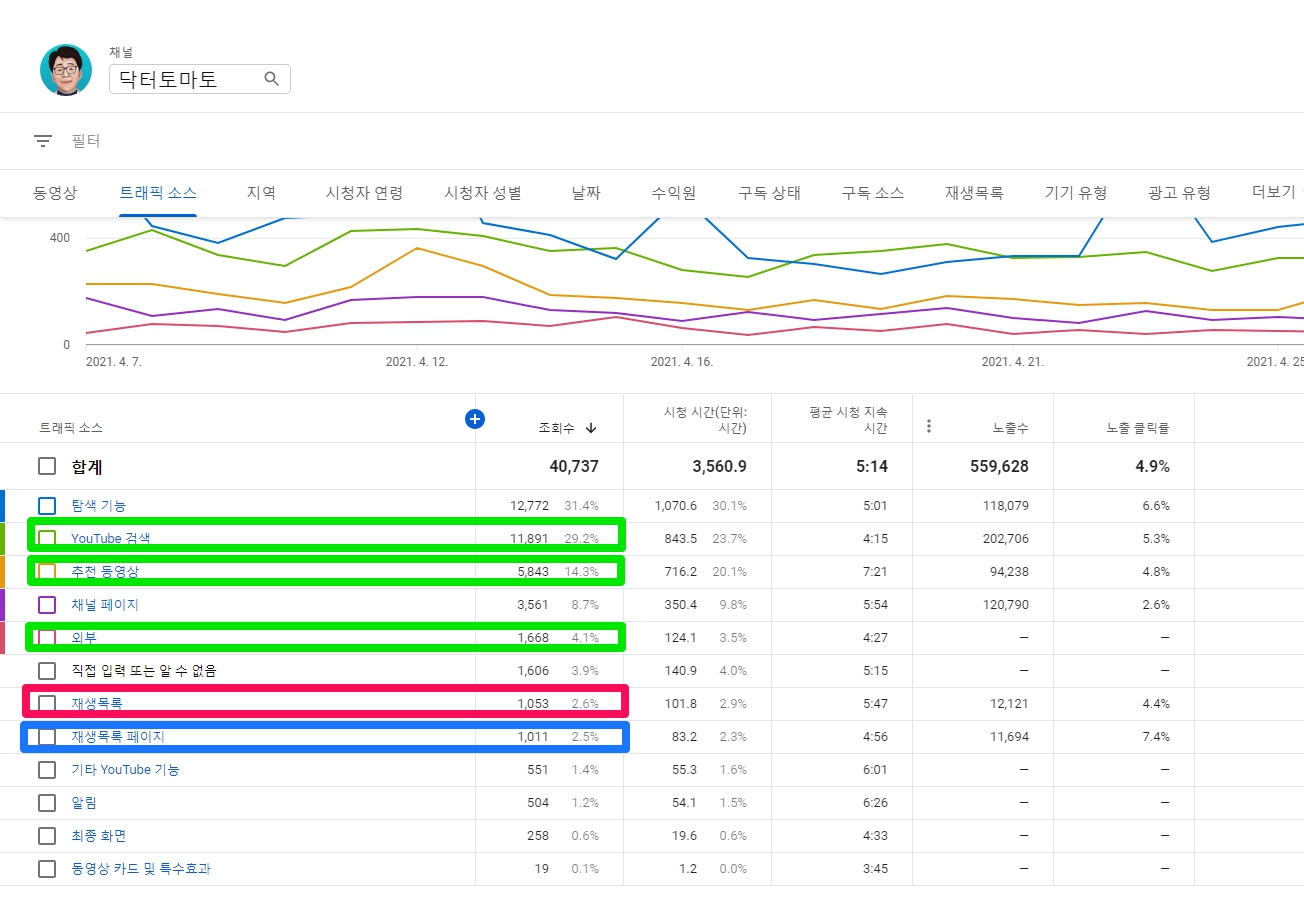
“Playlists” are traffic from all playlists that contain your videos, such as your playlists or other users’ playlists.
“Playlist Pages” are traffic generated by My Playlists (Pages).
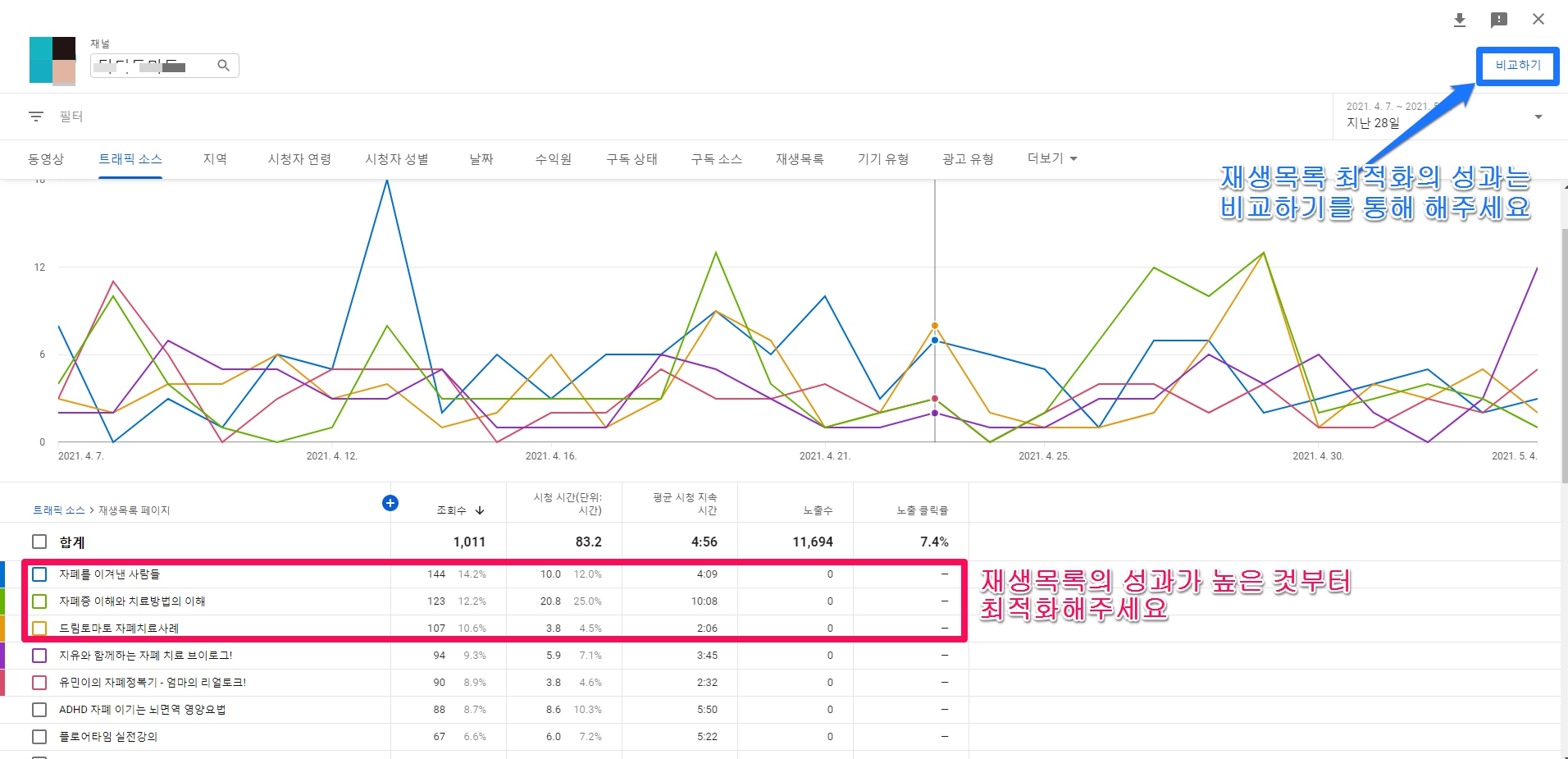
If you look at the image below, playlist pages account for a small percentage of views, 2.6%. A playlist may have been exposed among YouTube search results, and the recommended videos are displayed as the playlist optimization is improved. Therefore, there may be playlists in the % of the recommended videos, and there are playlists in addition to videos in externally shared links. It cannot be built.
How can I check the performance of my playlist optimization?
In YouTube Analytics, go to the Traffic Sources > Playlists page to see the performance of each playlist.
Click the [Compare] button in the upper right corner to compare the performance before and after optimization to check the performance.
Create a YouTube playlist
Building a keyword-rich playlist will boost your YouTube SEO and help you get more search traffic. Using playlists is one small but powerful strategy for increasing watch time and retention. ( Source: YouTube SEO: 26 Tactics for Getting More Views, Subscribers, and Traffic )
A playlist is a topic or group of related YouTube videos organized by topic. Creating a playlist itself increases watch time and retention, as when a user watches a playlist, other videos from that playlist play automatically.
Here’s how to create a playlist.
- Find the video you want to put in your playlist.
- Click Save below the video.
- Select the “Videos to watch later” playlist or a previously created playlist, or click Create New Playlist. …
- Use the box to select the playlist‘s privacy settings. …
- Click ‘Create’.
How to optimize your playlist
1. Create Keyword-Rich Playlists
Bundling related videos into playlists increases the relevance of uploaded videos, contributing to the optimization of each video.
Don’t leave your YouTube channel in an unorganized mess. One of the easiest ways to get YouTube search traffic is to organize your videos into playlists.
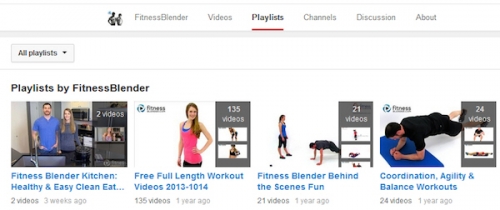
Keyword-rich playlists give YouTube deep insight into the topic of your video. And the more text-based content = more views, the more text-based content you see in the description. For example, FitnessBlender, which gets over 100,000 views per video, has channels neatly organized into keyword-rich categories. If you have 10 videos on your YouTube channel, organize your playlists by relevant topics. ( source : 5 Advanced YouTube SEO Tactics to Drive More Traffic to Your Videos & Website http://searchenginewatch.com/sew/how-to/2340726/5-advanced-youtube-seo-tactics-to-drive-more-traffic-to-your-videos-website )
( image source : 5 Advanced YouTube SEO Tactics to Drive More Traffic to Your Videos & Website )
As with videos, it’s a good idea to include keywords in the title and description for playlists.
This can help YouTube SEO for three main reasons:
First, the playlist itself can show up in YouTube search results.

( image source : Backlinko의 Grwo Your Channel 중 Playlists )
So, if you optimize your playlists around the keywords people are searching for, they will rank higher for those search terms and get more views.
A playlist also provides YouTube statistics for all videos in that playlist.
For example, let’s say you just made a video about speed reading.
Based on the video title, video description and tags, YouTube will know what the video is about.
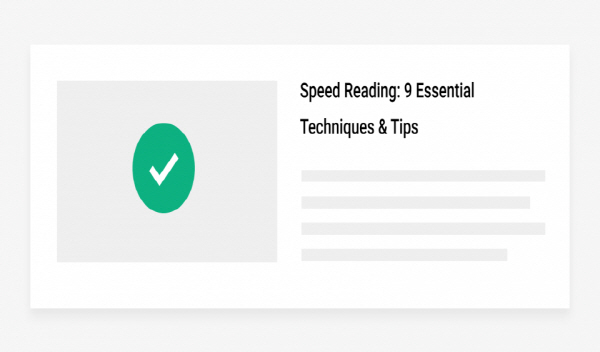
( image source : Backlinko의 Grwo Your Channel 중 Playlists )
However, if you add it to a playlist called “Productivity Hacks” and place it next to other related videos, YouTube can help you understand your videos and gain more visibility on YouTube.
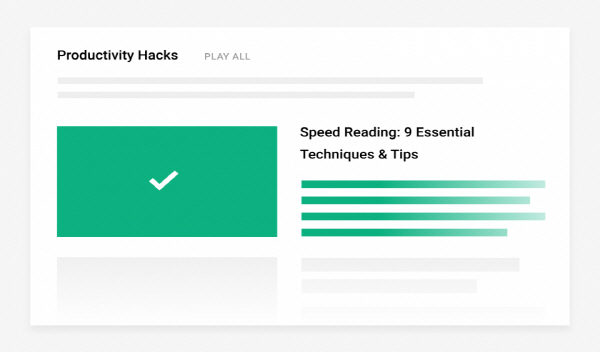
( image source : Backlinko의 Grwo Your Channel 중 Playlists )
Finally, videos in a playlist are more likely to be marked as featured (even if you’re watching one of those videos outside of that playlist).
Why? YouTube prefers to display ‘videos on topic’ in the Featured Videos column.
And when you put a bunch of videos together in a playlist, you tell YouTube, “These videos are closely related.” So whenever someone views a video in that playlist, that set of videos will most likely be marked as a featured video.
2. If your channel lacks videos, enrich the playlist by adding videos from others/third parties to the playlist.
Even if you have a large number of rich videos from your channel, if anyone has visited your channel for information, it’s a good idea to openly add your competitor’s videos to your playlist so they can get the information they’re looking for. In this case, the disadvantage is that the hard-earned inflow is stolen by other people / competitors’ videos, but in Korea, there are few individuals or companies (organizations) that make playlists open, so launch your marketing strategy with the mindset of providing sharing (solutions, information). I recommend the way.
((Note)) Another great video about the Youtube SEO factor ( https://moz.com/blog/youtube-ranking-factors-whiteboard-friday ). (This video is not a YouTube video, so you cannot directly post it, so click to watch. It is in English, but you can get a lot of help by watching the famous MOZ post.)
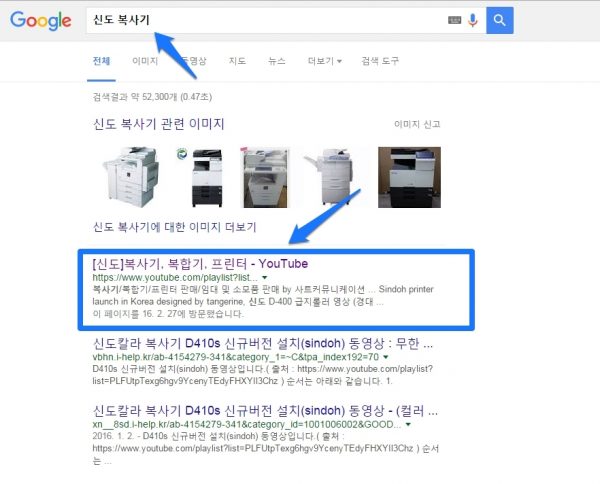
Below is an example of an office equipment company. I made a playlist on my YouTube channel as “[Shindo] copier, multifunction device, printer” and bundled other publishers’ Shindo copier-related videos into a playlist.
3. Basically, the description part is very important for a playlist.
Write compelling titles and descriptions
Playlist titles and descriptions play a big role in playlist performance.
Unfortunately, many YouTubers use common sounding playlist titles like “Ab Workouts” and “Cookie Recipes”.
Instead, create compelling titles that highlight the benefits of playlists, such as “How to Get a 6 Pack of Ab Workouts” and “Tasty (and Easy) Cookie Recipes.”
Then write a description that supports the title and explain why the playlist is worth seeing.
If you do not have material to write a description, please include the titles of these videos, if any, have been added to the playlist.
It is good to naturally create a playlist with keywords including possible related search terms, but if there are no videos added to the playlist, and there is nothing to write in the description, extract keywords from the title of the playlist and use the related search term tool soovle ( https: //soovle.com/) to find the related search term of the keyword and enter it.
4. Start the playlist with the best videos (Best videos are placed first in the playlist)/Place in order of best performing videos
If this is your first time making a playlist, find the best videos and make a playlist with them.
By default, when you add a new video to a playlist, YouTube adds it to the bottom of the list.
But if you organize your videos strategically, you can get more out of your playlists.
Here’s how.
First, check the stats for each video in your playlist using Creator Studio.
Find the videos with the best audience retention, watch time, watch time, or videos that are most effective at converting people into subscribers. .
For example, in this group of videos, you may find that certain videos have a significantly higher watch time than others.
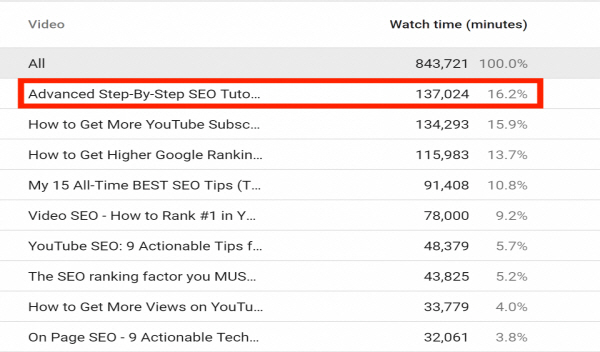
( image source : Backlinko의 Grwo Your Channel 중 Playlists )
Needless to say, you will want to make this video known to as many people as possible (because more watch time = higher ranking).
Easiest way?
Start one of the playlists with that video.

5. Optimize your playlists starting with the top performing ones.
If you have multiple playlists, say 27 playlists, which one should you optimize first?
In YouTube Analytics, go to the Traffic Sources > Playlists page to see the performance of each playlist. Optimize your playlists from the top performing here.
6. Like the playlist and share it on social media (Facebook, Twitter)
7. Use 4-7 videos in each playlist
You don’t want to overwhelm your viewers with a massive playlist of 50 videos.
If someone looks at a playlist with a million videos, they won’t see that playlist.
Instead, use about 4 to 7 videos per playlist. This gives people enough content to explain what the playlist title is talking about without overwhelming them with too much content.
8. Set best thumbnail as playlist thumbnail (memo: As of 08-26 2021, the thumbnail setting doesn’t seem to be in the playlist options anymore. Don’t look further.)
As with videos, YouTube displays thumbnails next to playlists in search results or when the channel’s “Playlists” tab is displayed.
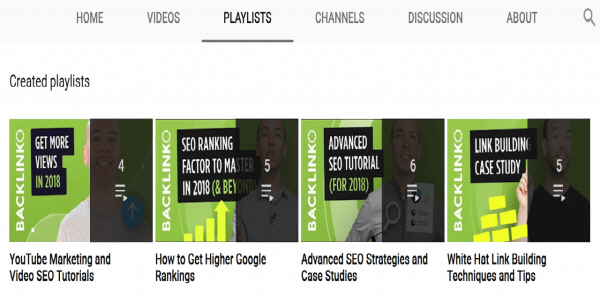
( image source : Backlinko의 Grwo Your Channel 중 Playlists )
Did you know that you can change this thumbnail?
Specifically, YouTube allows thumbnails of videos in that playlist to be used as playlist thumbnails.
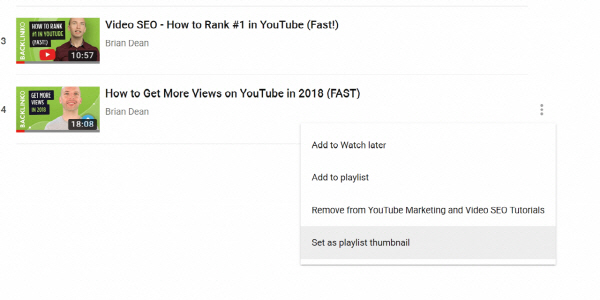
( image source : Backlinko의 Grwo Your Channel 중 Playlists )
So, if possible, choose a thumbnail that matches the playlist title and description. This way, when someone sees my awesome title, description, and representative thumbnail, they’ll say, “This playlist is awesome!”
9. Playlist layout settings (memo: As of 08-26 2021, thumbnail settings don’t seem to be in the playlist options anymore. Don’t look further.)
You can choose to display your playlists as a vertical list.
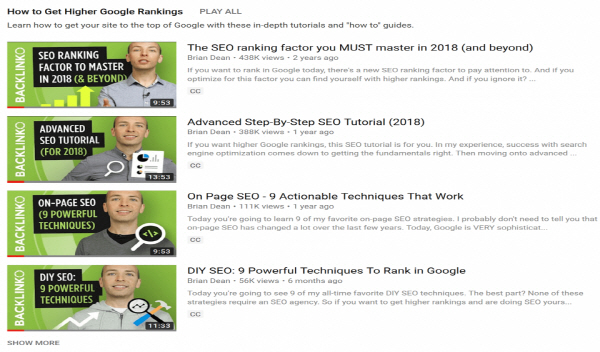
( image source : Backlinko의 Grwo Your Channel 중 Playlists )
… Or a horizontal list.
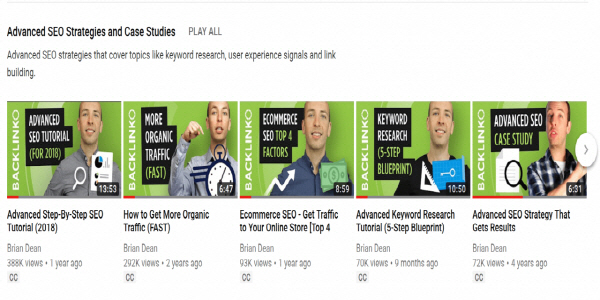
( image source : Backlinko의 Grwo Your Channel 중 Playlists )
That said, having a 100% vertical or 100% horizontal layout isn’t very appealing.
Instead, alternate between horizontal and vertical on the channel page. This blends everything together and makes each individual playlist stand out more.
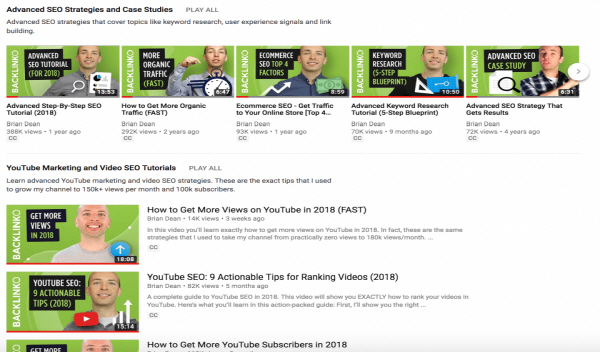
( image source : Backlinko의 Grwo Your Channel 중 Playlists )
Learn more
How to Use Playlists to Get More Views on YouTube — 5 Tips(42:18)
The video is very long at 42:18. However, there must be a reason for the videos bcklinko recommends, so take a look.
References: 1. Backlinko의 Grwo Your Channel 중 Playlists